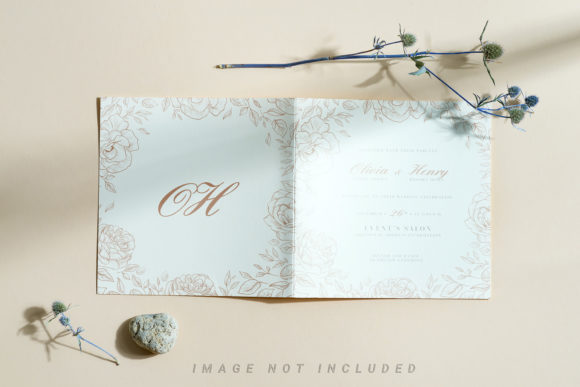
Bifold Postcard Mockup with Dried Plants
Visual presentation is everything when you are trying to sell a design concept. Whether you are pitching a branding package to a client, showcasing your latest illustration portfolio, or simply listing a digital asset on a marketplace, the context in which your work is displayed can make or break its perceived value. This is where a high-quality Bifold Postcard Mockup with Dried Plants becomes an indispensable tool in your creative workflow. It is not just about slapping a logo onto a piece of paper; it is about creating a realistic environment that allows potential buyers or clients to imagine the final product in their own lives.
The aesthetic of dried botanicals has surged in popularity over the last few years. It evokes feelings of warmth, nostalgia, sustainability, and organic beauty. By combining this trendy visual style with a functional bifold postcard format, you create a mockup that appeals to a wide array of industries. From wedding invitations to eco-friendly product packaging, the right mockup bridges the gap between a flat digital file and a tangible, desirable object.
Understanding the Tool: Smart Objects and Safety Zones
Before diving into specific use cases, it is crucial to understand what makes this particular mockup effective from a technical standpoint. The core feature here is the active smart object system. For those who might be new to Photoshop workflows, a smart object acts as a container for your design. Instead of rasterizing your artwork and permanently altering the pixels, you drop your design into this designated area. When you save and close the smart object layer, your design updates automatically across the entire composition, preserving all shadows, highlights, and perspective distortions.
One of the most user-friendly aspects mentioned in the documentation is the inclusion of a safety zone. In complex designs, especially those involving intricate patterns or text near the edges, it is easy to accidentally place important elements outside the visible area due to the folding or curving nature of the postcard. The safety zone provides visual guides—lines indicating the safe area where content will remain fully visible after the mockup is rendered. This prevents the common frustration of having a crucial part of your logo or text get cut off by the fold or shadowed out by the lighting. To see these guides, you simply activate the specific layer provided in the PSD file. It is a small detail, but it saves significant time during the editing process.
Real-World Applications for Creators and Entrepreneurs
So, where does this Bifold Postcard Mockup fit into your actual work? Let’s look at some practical scenarios where this tool shines.
Wedding and Event Stationery Designers
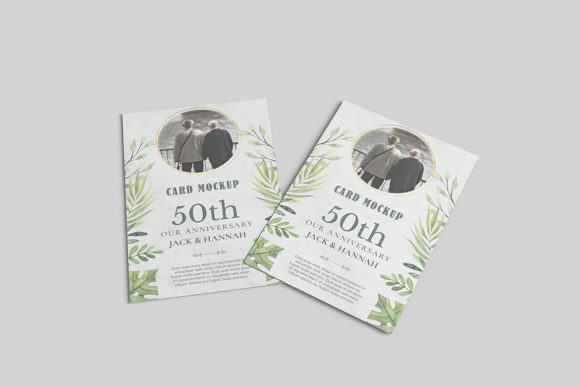
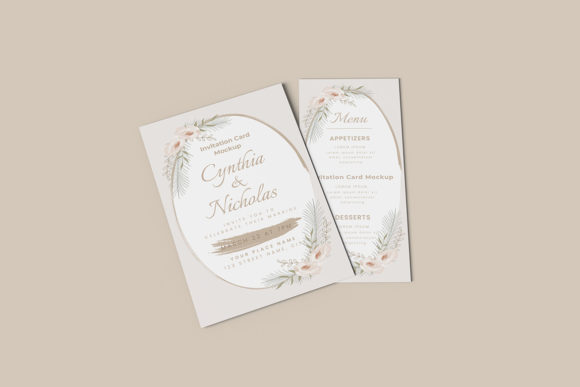
If you specialize in wedding stationery, the emotional connection is key. A bifold postcard often serves as an invitation, a RSVP card, or a welcome note for guests. The dried plant aesthetic aligns perfectly with bohemian, rustic, or garden-themed weddings. When you present your design concepts to couples, showing them a mockup that looks like it is resting on a wooden table surrounded by eucalyptus or lavender stems helps them visualize the tactile experience of holding the invitation. It moves the conversation from "Does this font look good?" to "I can feel the texture of this paper." That shift is powerful for closing sales.
Eco-Friendly Branding and Packaging
Consumers are increasingly drawn to brands that emphasize sustainability. If you are designing labels for organic soaps, artisanal coffee bags, or natural skincare products, a bifold card can serve as an informational insert or a certificate of authenticity. The dried plants in the mockup reinforce the message of natural ingredients and earth-conscious values without saying a word. Marketers can use this visual cue to build trust instantly. Imagine placing your label design into this mockup and using it in a social media ad campaign; the cohesive color palette and organic textures signal quality and care before the customer even reads the product description.
Digital Product Sellers and Bloggers
For bloggers and digital creators selling printables, planners, or wall art, the mockup is essential for your shop listings. On platforms like Etsy or Creative Market, your thumbnail image is your storefront window. A flat image of a PDF file does not sell well. However, a beautifully styled mockup suggests that the digital download will result in a premium physical product once printed. Using a Bifold Postcard Mockup with Dried Plants gives your digital assets a lifestyle appeal. It tells the buyer, "This isn't just data; this is something beautiful you can hold."
Small Business Marketing Materials
Consider a local bakery or a flower shop. They might need a postcard to announce a seasonal menu change or a new workshop. A standard white background looks sterile. Placing your design into this mockup, set against a backdrop of dried flowers, creates an inviting atmosphere. It suggests that the business understands aesthetics and cares about details. For freelancers sending out pitch decks, including a slide that features your proposal document styled within this mockup adds a layer of professionalism and thoughtfulness that stands out in a crowded inbox.
Technical Considerations and Best Practices
While the mockup is designed to be user-friendly, there are a few things to keep in mind to ensure the best results. First, always respect the dimensions. The file size is 6016×4016 px, which is high resolution and suitable for both web display and large-format printing. However, if you are resizing your design within the smart object, ensure your source file is also high quality (at least 300 DPI) to avoid pixelation.
Another critical point is typography. As noted in the documentation, the design applied typography is NOT INCLUDED. This means you must bring your own fonts. When choosing fonts for your mockup designs, consider the mood set by the dried plants. Serif fonts often pair well with the classic, elegant feel of dried florals, while clean sans-serifs can provide a modern contrast. Test different combinations within the smart object to see how they interact with the shadows and folds of the postcard.
Furthermore, remember that this is a photo-based mockup, not a 3D render or vector. This is actually a benefit for many users because photos offer realistic lighting and texture variations that can sometimes feel artificial in 3D models. However, it also means the background color does not change dynamically. You cannot easily swap the wood table or the flower arrangement colors within the file. Therefore, choose a mockup style that matches the vibe of your brand. If your brand is bright and neon, this muted, earthy mockup might not be the right fit. But for brands leaning towards warm, neutral, or vintage tones, it is perfect.
Why Choose This Specific Mockup?
In a sea of available resources, why opt for a Bifold Postcard Mockup with Dried Plants? The answer lies in the combination of convenience and aesthetic appeal. The safety zone feature reduces the learning curve for beginners, allowing them to focus on creativity rather than technical troubleshooting. The 300 DPI resolution ensures that whether you are sharing on Instagram or sending to a printer, the quality remains sharp. And finally, the thematic relevance of dried plants taps into current design trends, making your work look contemporary and curated.
Whether you are a seasoned graphic designer looking to speed up your client presentations or a hobbyist wanting to create a stunning birthday card, this tool offers a versatile solution. It transforms simple digital files into compelling visual stories. By leveraging the power of smart objects and thoughtful design cues, you can elevate your work, communicate your ideas more effectively, and connect with your audience on a deeper level. Take the time to experiment with different designs within the safety zones, play with typography, and watch how this single mockup can enhance the perceived value of your projects.