Invitation Card Mockup: Professional 3D Presentation Tool
When you have spent hours perfecting the typography, color palette, and layout of an invitation design, the final presentation is just as critical as the design itself. A flat image often fails to convey the texture, weight, and emotional tone of a physical card. This is where a high-quality Invitation Card Mockup becomes an indispensable asset for designers, event planners, and small business owners. By placing your digital creation into a realistic 3D environment, you bridge the gap between abstract pixels and tangible reality, allowing clients or stakeholders to visualize the end product with clarity.
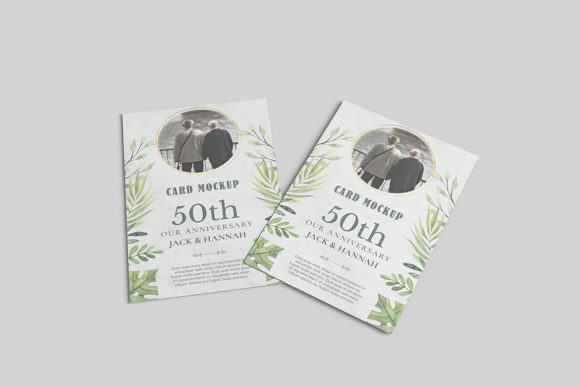
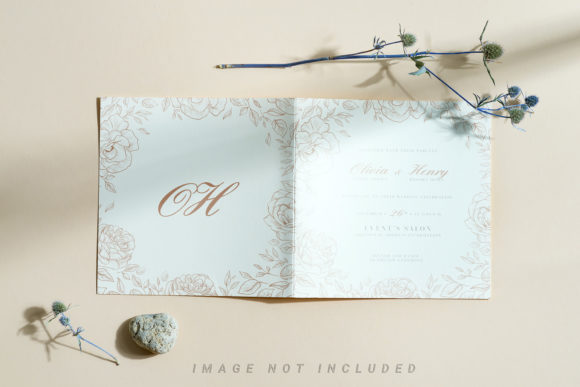
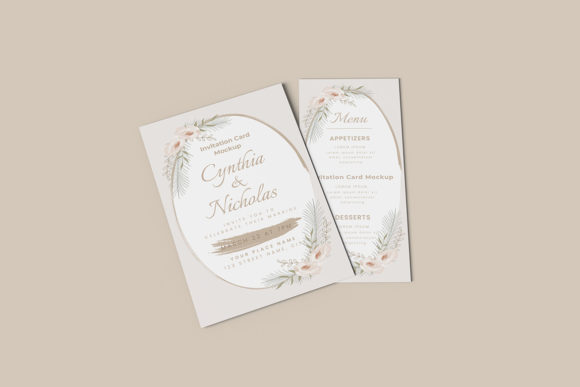
The primary value of this specific mockup lies in its ability to showcase designs professionally within a realistic 3D display. It transforms a simple graphic file into a compelling visual narrative. Whether you are pitching a wedding package to a couple, presenting branding materials to a corporate client, or updating your portfolio on social media, the way your work is presented directly influences perception. A polished, photorealistic mockup signals attention to detail and professionalism, suggesting that the care taken in the digital phase extends to the physical production phase.
Streamlining the Workflow with Smart Objects
One of the most significant barriers to creating high-end presentations is technical complexity. Many designers avoid using mockups because they fear the learning curve associated with advanced photo editing software. However, modern tools are designed to remove these friction points. This Invitation Card Mockup is available in PSD Photoshop format, utilizing smart-object features that allow you to replace current designs with your own within seconds.
Smart objects function as dynamic containers. Instead of manually masking, warping, and blending your design into the scene—a process that can take considerable time and often results in imperfect lighting matches—you simply double-click the smart object layer. Your design opens in a new window, you paste your artwork, save it, and return to the main file. The mockup automatically adjusts the perspective, shadows, and highlights to match the scene’s lighting conditions. This efficiency means you can produce multiple variations of a single design—perhaps testing different color schemes or font pairings—without restarting the entire workflow from scratch.
Technical Specifications for Print-Ready Quality
For professionals who need their presentations to look crisp on both desktop monitors and large presentation screens, resolution matters. This mockup offers a generous size of 3000x2000 pixels at 300 dpi. This high resolution ensures that every detail remains sharp, even when zoomed in for close-up reviews. It eliminates the pixelation that can undermine the credibility of a professional pitch. Additionally, the inclusion of a changeable background-color feature provides flexibility. You can isolate the card against a neutral backdrop for a clean, minimalist look, or choose a vibrant hue that complements the design’s theme, enhancing the overall aesthetic impact without requiring complex compositing skills.
Who Benefits Most from This Tool?
While the utility of a mockup extends to anyone involved in visual communication, certain groups will find this specific Invitation Card Mockup particularly transformative.
- Freelance Graphic Designers: When submitting proposals or final deliverables, designers need to justify their fees. Presenting a design in context demonstrates the full scope of the project. It shows how the logo interacts with the paper stock and how the typography feels in three dimensions, helping clients understand the value beyond the flat file.
- Event Planners and Coordinators: For those managing weddings, corporate galas, or private parties, selling the "vibe" is essential. An invitation sets the tone for the entire event. Using a realistic mockup allows planners to show clients exactly what the printed suite will look like, reducing anxiety about the final result and speeding up approval processes.
- Small Business Owners and Entrepreneurs: If you are launching a new brand or promoting an upcoming launch party, you may not have a dedicated design team. This tool empowers business owners to create professional-looking promotional materials themselves. The ease of use means you can update your event invitations quickly as details change, ensuring your marketing materials remain accurate and polished.
- Educators and Content Creators: Instructors teaching design principles or bloggers writing about event planning can use these mockups to illustrate concepts visually. High-quality visuals increase engagement on blogs and social media platforms, making educational content more digestible and shareable.
Practical Applications and Use Cases
Beyond standard client presentations, this Invitation Card Mockup supports various creative and commercial goals. Consider a scenario where a boutique stationery shop wants to list custom designs on an online marketplace. Since customers cannot touch the product, the images must do the heavy lifting. A realistic 3D display helps potential buyers imagine holding the card, increasing conversion rates by reducing uncertainty about quality and finish.
Similarly, marketers running social media campaigns can leverage the changeable background feature to create a series of cohesive posts. By keeping the mockup consistent but altering the background colors to match seasonal trends or holiday themes, brands can maintain visual continuity while keeping their feed fresh and engaging. This consistency strengthens brand identity over time.
For educators, this tool simplifies the process of demonstrating design theory. Instead of describing how lighting affects perception, instructors can show it. They can place the same design in different lighting environments within the mockup to highlight how shadows and highlights influence readability and mood. This practical demonstration aids in deeper student understanding compared to theoretical explanations alone.
Considerations and Best Practices
While this Invitation Card Mockup is a powerful resource, users should be mindful of its limitations and proper usage. First, it is important to note that photos used in the preview are not included; they serve only for illustration purposes. Users must supply their own designs, which requires access to compatible design software like Adobe Photoshop. If you are unfamiliar with PSD files or smart objects, the provided PDF help guide is a valuable resource. Taking the time to read through this guide ensures you can navigate the file structure confidently and avoid common pitfalls, such as distorting aspect ratios or missing transparency layers.
Another consideration is the realism of the source design. A mockup is only as good as the image placed inside it. Ensure your own designs are high-resolution and properly formatted before inserting them. Low-quality inputs will not be magically enhanced by the mockup’s lighting effects; instead, pixelation or blurriness may become more apparent in the detailed 3D render. Additionally, while the background color is changeable, consider the context of your presentation. A stark white background might feel clinical for a romantic wedding invitation, whereas a textured or colored background might better convey the intended emotion. Experiment with different backgrounds to find the one that best supports your design’s narrative.
Conclusion
In a competitive landscape where first impressions are formed in seconds, the presentation of your work can be the deciding factor in securing a client or conveying your message effectively. This Invitation Card Mockup offers a practical, efficient solution for elevating your designs from flat graphics to immersive visual experiences. By leveraging smart-object technology, high-resolution output, and flexible customization options, you can save time, enhance your professional image, and communicate your creative vision with greater precision. Whether you are a seasoned designer refining your portfolio or a small business owner preparing for a major event, integrating this tool into your workflow can lead to clearer communication, faster approvals, and ultimately, more successful outcomes.