Bifold DL Flyer Mockup
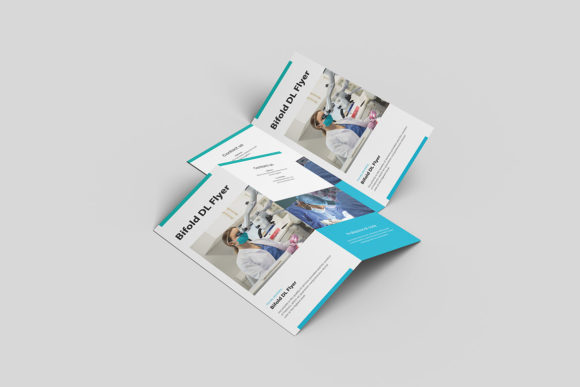
In the world of graphic design, the gap between a digital file and a tangible product can feel vast. You have spent hours perfecting typography, balancing color palettes, and refining layout grids, but does it actually look good in the real world? This is where presentation becomes as critical as creation. The Bifold DL Flyer Mockup bridges that divide, offering a realistic 3D display that allows you to showcase your designs professionally without needing expensive physical prints or complex photography setups.
This tool is not just about showing off your work; it is about validating your creative decisions in a context that clients and stakeholders understand. By using this PSD Photoshop format mockup, designers can replace their current designs with their own within seconds, utilizing smart-object features for a seamless workflow. Whether you are a freelancer pitching to a new client, a small business owner launching a marketing campaign, or an educator preparing course materials, having a high-fidelity representation of your final output is essential for clear communication.
Why Presentation Matters in Digital Design
Designers often fall into the trap of focusing solely on the screen. However, most print collateral, including DL flyers, exists in three dimensions. They are folded, held, distributed, and viewed in physical space. A flat JPEG of a flyer fails to convey texture, depth, and how the design interacts with folds and creases. The Bifold DL Flyer Mockup addresses this by providing a 300 dpi resolution at a 3000x2000 px size, ensuring that every detail remains crisp even when zoomed in or printed for portfolios.
The ability to visualize your design in a realistic setting builds trust. When a client sees their logo embossed or printed on a realistic paper stock, they can better imagine the end result. This reduces revision cycles because the expectation matches the reality. For marketers and entrepreneurs, this means faster approval times and a more professional image. It transforms abstract concepts into concrete assets that can be evaluated critically.
Unlocking Creativity with Smart Objects
The core functionality of this mockup lies in its technical ease of use. Designed specifically for Adobe Photoshop, it leverages smart-object technology. This means you do not need to manually warp, mask, or distort your artwork to fit the perspective of the flyer. Instead, you simply double-click the smart-object layer, paste your design, save, and the mockup updates automatically. This efficiency is crucial for professionals who need to iterate quickly.
- Rapid Iteration: Test multiple color schemes or headline variations in minutes rather than hours.
- Error Reduction: Automated warping eliminates manual alignment mistakes that can ruin a professional presentation.
- Focus on Design: Spend less time on technical rendering and more time on creative strategy and visual hierarchy.
This feature is particularly valuable for agencies managing multiple brands or freelancers handling various clients. The ability to swap designs easily encourages experimentation. You might try a minimalist approach for one version and a bold, colorful layout for another, presenting both options confidently to your audience.
Diverse Applications Across Industries
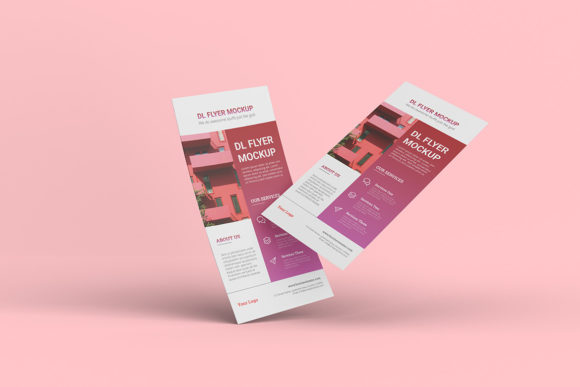
The versatility of the Bifold DL Flyer Mockup extends far beyond simple event invitations. Its standard DL size (99 x 210 mm) is a universal format recognized globally, making it suitable for a wide array of use cases. Here is how different user groups can adapt this resource:
Small Business Owners and Entrepreneurs
For local businesses, such as cafes, salons, or retail shops, a well-designed bifold flyer serves as a powerful direct marketing tool. Use the mockup to create promotional materials for grand openings, seasonal sales, or loyalty programs. Showcasing these designs in social media ads or email newsletters helps potential customers visualize the quality of the brand. A realistic preview suggests attention to detail, which translates to perceived value in products or services.
Educators and Content Creators
Educators often need to distribute syllabi, workshop schedules, or informational handouts. Bloggers and content creators can use the mockup to promote downloadable resources, such as e-books or checklists. By presenting these digital downloads as physical-looking flyers, you add a layer of tangibility that can increase download rates. It signals that the content is substantial and well-produced.
Freelancers and Design Agencies
When building a portfolio, context is king. Displaying a logo on a blank white background is informative, but displaying it on a branded bifold flyer tells a story. It demonstrates your ability to handle layout, typography, and print constraints. Use the changeable background-color feature to match your portfolio’s aesthetic or to simulate different environments, such as a clean studio setting or a casual café table.
Customization and Styling Options
One of the standout features of this mockup is the customizable background. While the flyer itself is the focal point, the surrounding environment sets the mood. You can adjust the background color to complement your design palette, creating a cohesive visual experience. This is useful for maintaining brand consistency across different presentation materials.
Consider the lighting and shadows inherent in the 3D render. These elements add realism, suggesting weight and texture. When designing, keep these physical properties in mind. Avoid placing text too close to the fold lines, as this area may become less legible in the final product. Use the mockup to test readability and ensure that critical information remains accessible after folding.
Additionally, the included PDF help guide ensures that even those less familiar with advanced Photoshop techniques can navigate the file structure with ease. This accessibility lowers the barrier to entry, allowing hobbyists and beginners to produce professional-grade presentations alongside seasoned experts.
Best Practices for Effective Flyers
Using the mockup is only half the equation; the design itself must be effective. Here are some practical tips to keep your results clear, organized, and audience-friendly:
- Clear Hierarchy: Guide the viewer’s eye logically. Use the front panel for the hook, the inside left for details, and the back or right panel for calls to action.
- White Space: Do not overcrowd the design. Ample white space improves readability and makes the flyer look more premium.
- High-Contrast Text: Ensure text stands out against the background. Dark text on light backgrounds or vice versa works best for legibility.
- Consistent Branding: Use fonts, colors, and imagery that align with your overall brand identity. Consistency builds recognition and trust.
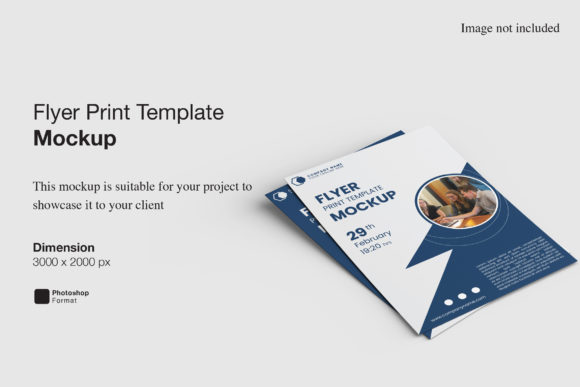
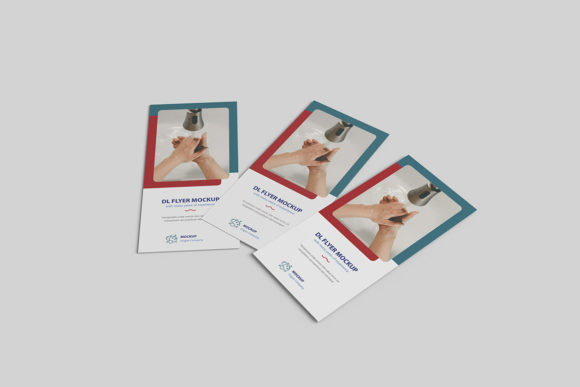
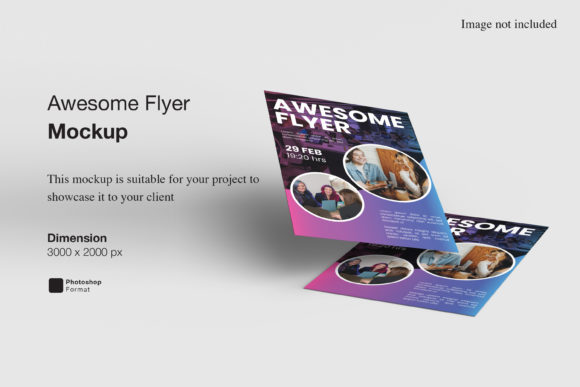
Remember that the photos used in previews are for illustration purposes only. Your unique designs will shine when applied to this template. Take advantage of the high resolution to include intricate details, textures, or subtle gradients that enhance the visual appeal.
Conclusion
The Bifold DL Flyer Mockup is more than just a template; it is a strategic tool for elevating your design practice. By providing a realistic, easy-to-use platform for showcasing your work, it empowers designers, marketers, and business owners to communicate their ideas more effectively. Whether you are launching a new product, promoting an event, or building your portfolio, this mockup helps you present your vision with clarity and professionalism. Embrace the flexibility of smart objects and the realism of 3D rendering to bring your creative projects to life.