Floating DL Flyer Mockup Template
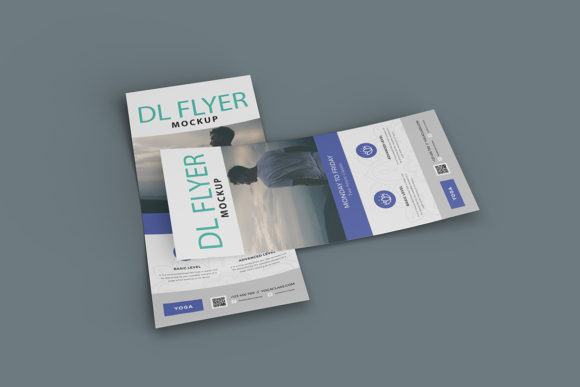
In the digital age, the way we present visual concepts has shifted dramatically. While a flat image on a screen is functional, it often lacks the tactile presence that helps clients and stakeholders truly grasp the scale, texture, and context of a physical product. This is where high-quality presentation tools become indispensable for designers, marketers, and small business owners alike. The Floating DL Flyer Mockup Template offers a sophisticated solution to this common challenge, allowing you to showcase your designs in a realistic 3D display without needing complex photography setups or expensive rendering software.
For professionals ranging from freelance graphic designers to marketing managers at established agencies, the ability to communicate ideas clearly is paramount. A flyer is not just a piece of paper; it is a communication tool meant to be held, read, and acted upon. By using this template, you can bridge the gap between a digital file and a tangible object, providing your audience with a clear vision of the final output. This article explores how this specific mockup can streamline your workflow, enhance your professional presentation, and support your creative goals.
Why Realistic Presentation Matters
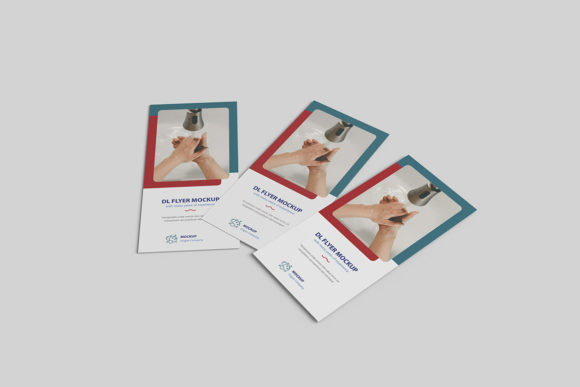
When pitching a design concept, context is everything. A flat JPEG of a DL-sized flyer (typically 99mm x 210mm) can look impressive in isolation, but it fails to convey how the design interacts with light, shadow, and space. Clients often struggle to visualize the final result when presented only in two dimensions. They may question the font legibility, the balance of white space, or how the colors will appear on actual paper stock.
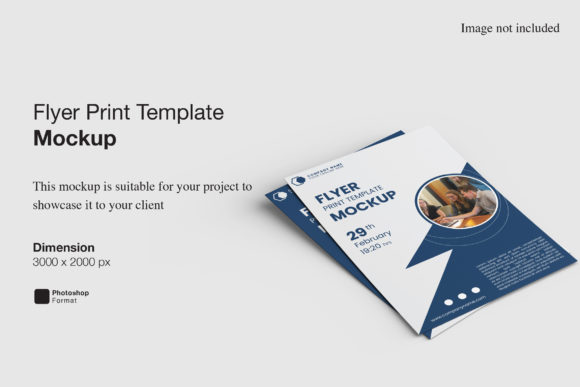
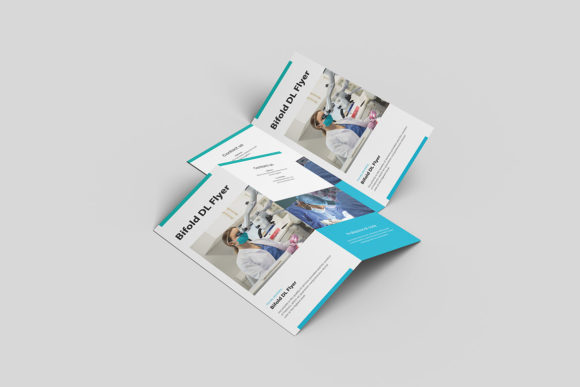
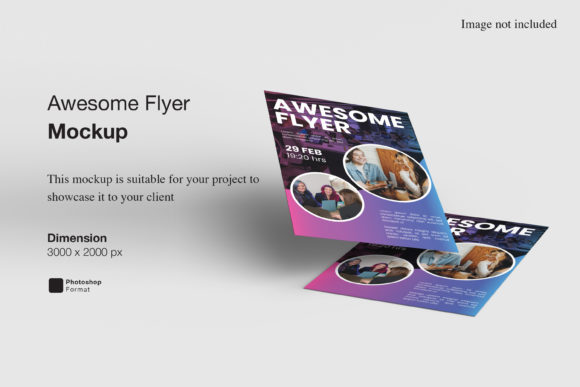
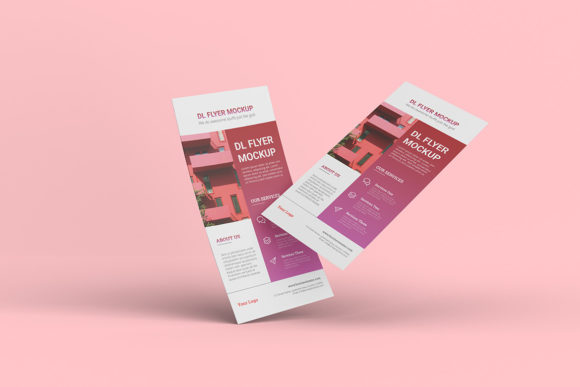
A realistic 3D mockup solves this cognitive disconnect. It places your design into a believable environment, helping viewers understand the physical attributes of the project. The Floating DL Flyer Mockup Template achieves this by simulating a floating effect, which adds depth and modernity to the presentation. This subtle animation-like stillness suggests movement and elegance, making the design stand out in portfolios, client emails, or social media posts. It transforms a simple document into a polished product shot, elevating the perceived value of your work.
Simplicity Through Smart-Object Technology
One of the most significant barriers to creating high-end presentations is technical complexity. Many designers avoid detailed mockups because they require advanced knowledge of Photoshop layering, masking, and blending modes. However, this template is designed with accessibility in mind. Available in PSD Photoshop format, it utilizes smart-object features that simplify the customization process significantly.
The core benefit here is efficiency. You do not need to manually warp, distort, or align your artwork to fit the perspective of the flyer. Instead, you simply double-click the designated smart-object layer, paste or place your own design, and save. The template automatically adjusts your artwork to match the angle, lighting, and shadows of the 3D model. This means you can replace the current designs with your own within seconds, regardless of your proficiency level in graphic design software. For busy freelancers or agency teams managing multiple projects, this time-saving feature is invaluable.
Streamlining Your Workflow
Consider a scenario where a client requests three variations of a promotional flyer for an upcoming event. Without a smart-object template, you might spend hours adjusting perspectives and lighting for each version. With this tool, the heavy lifting is done by the template’s underlying structure. You can swap out the content for each variation rapidly, allowing you to focus on the creative aspects of the design rather than the technical execution of the presentation. This shift allows for faster iteration and quicker decision-making, keeping projects on schedule.
Technical Specifications and Flexibility
To ensure your presentations look crisp and professional across various devices and print materials, the technical specifications of the template are carefully considered. The file is provided in a 3000x2000 pixel size with a resolution of 300 dpi. This high resolution ensures that when you zoom in on the details or print the mockup for a physical portfolio, the image remains sharp and free of pixelation.
Furthermore, the template includes a changeable background-color feature. This flexibility allows you to tailor the presentation to different branding guidelines or moods. Whether you need a clean white background for a minimalist corporate look, a dark moody tone for a luxury brand, or a vibrant color that matches a specific campaign theme, you can adjust the backdrop instantly. This versatility makes the template suitable for a wide range of industries, from healthcare and education to entertainment and retail.
Who Benefits Most from This Tool?
While any designer can appreciate a good mockup, certain groups will find the Floating DL Flyer Mockup Template particularly advantageous due to their specific workflows and needs.
- Freelance Graphic Designers: Independent creators often wear many hats, including sales and administration. A tool that speeds up the creation of professional-looking presentations allows them to deliver more value to clients without spending excessive time on non-billable tasks like rendering.
- Marketing Agencies: Teams presenting large-scale campaigns need consistency and speed. Using a standardized, high-quality mockup ensures that all team members present their work in a uniform, professional manner, reinforcing brand credibility.
- Small Business Owners: Entrepreneurs who design their own marketing materials may lack advanced software skills. The ease of use offered by smart-objects empowers them to create compelling visuals that compete with larger competitors, helping them attract customers effectively.
- Educators and Students: In academic settings, students learning about print design need to understand how their work translates to physical media. This mockup serves as an excellent teaching aid, demonstrating the importance of presentation and context in design theory.
Practical Considerations and Limitations
While the Floating DL Flyer Mockup Template offers numerous benefits, it is important to approach its use with realistic expectations. First, users must have access to Adobe Photoshop to utilize the smart-object features. If your workflow relies entirely on other design platforms, you may need to export your work and open it in Photoshop temporarily, which could add a step to your process.
Additionally, while the template provides a realistic 3D display, it is a static image. It does not offer the interactive experience of a video walkthrough or augmented reality view. For some high-stakes pitches, a video mockup might provide additional engagement. However, for most standard client reviews, portfolio pieces, and online listings, a high-resolution static mockup is sufficient and often preferred for its clarity and quick load times.
It is also worth noting that the photos used in the preview images are for illustration purposes only and are not included in the download. Users should prepare their own high-quality source files to ensure the best results. The quality of the final output is directly dependent on the quality of the design placed into the smart object. Therefore, ensuring your artwork is properly formatted and resolved before importing it is crucial.
Enhancing Communication and Confidence
Beyond the technical advantages, there is a psychological benefit to using professional mockups. When you present a design in a realistic context, you demonstrate attention to detail and professionalism. This builds trust with clients and stakeholders, showing that you have considered every aspect of the project, from the initial concept to the final printed product. It reduces ambiguity and minimizes the back-and-forth revisions that often occur when clients cannot visualize the end result.
By simplifying the presentation process, you also reduce your own stress. Knowing that you have a reliable, easy-to-use tool in your arsenal allows you to focus on delivering creative excellence rather than worrying about how to display it. The included PDF help guide further supports this by providing clear instructions, ensuring that even those new to Photoshop can navigate the template with confidence.
Conclusion
The Floating DL Flyer Mockup Template is more than just a decorative asset; it is a practical tool that enhances the entire design lifecycle. From speeding up delivery times to improving client communication, its benefits are tangible and significant. By leveraging smart-object technology and high-resolution specifications, it empowers designers and business owners to present their work with clarity and impact. In a competitive market, the ability to showcase your designs professionally can make a decisive difference, turning casual interest into committed partnerships.