Perspective DL Flyer Mockup Evaluation
In the competitive landscape of graphic design and marketing, the presentation of a final product is often as critical as the design itself. A static image file rarely conveys the tactile quality, scale, and context of a physical flyer. This is where digital mockups become an essential tool for designers, agencies, and print shops. Among the various options available, the Perspective DL Flyer Mockup has emerged as a practical solution for professionals seeking to showcase their work in a realistic 3D environment. This evaluation explores the features, utility, and limitations of this specific PSD template to help designers determine if it aligns with their workflow requirements.
Understanding the Product: What Is Perspective DL Flyer Mockup?
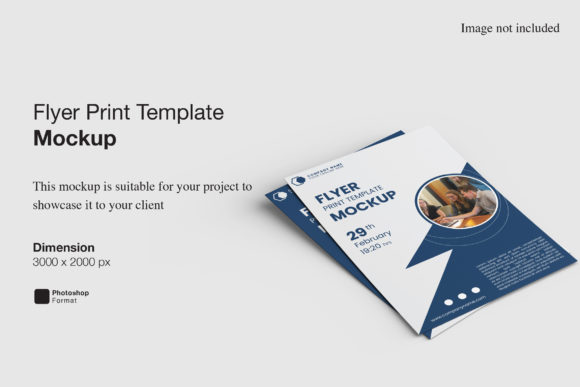
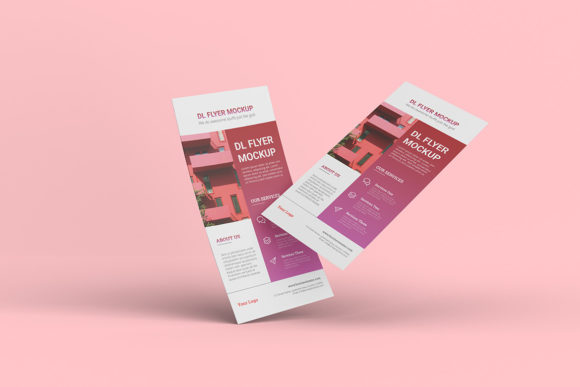
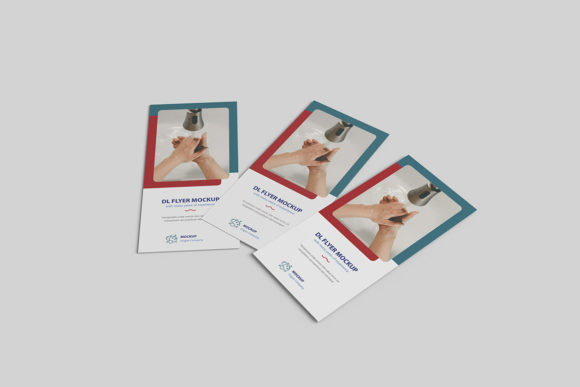
The Perspective DL Flyer Mockup is a digital template designed specifically for Adobe Photoshop (PSD format). Its primary function is to provide a photorealistic stage upon which designers can place their own artwork. Unlike flat design previews, this mockup utilizes perspective and lighting effects to simulate how a standard DL-sized flyer would appear when printed and displayed in a real-world setting. The term "DL" refers to the international paper size (110 x 220 mm), commonly used for letters and flyers.
At its core, this asset is a smart-object-based file. This technical detail is significant because it dictates the user experience. Instead of manually masking, warping, or adjusting layers to fit a new design onto the flyer surface, users can simply double-click the designated smart object layer. This action opens the design in a separate window, allowing for quick editing. Once saved and closed, the main mockup file updates automatically, applying the correct perspective, shadows, and textures to the new content. This workflow is designed to save time and reduce the technical friction associated with high-quality presentations.
Key Features and Technical Specifications
When evaluating any design asset, technical specifications are paramount. The Perspective DL Flyer Mockup offers several distinct features that cater to professional standards:
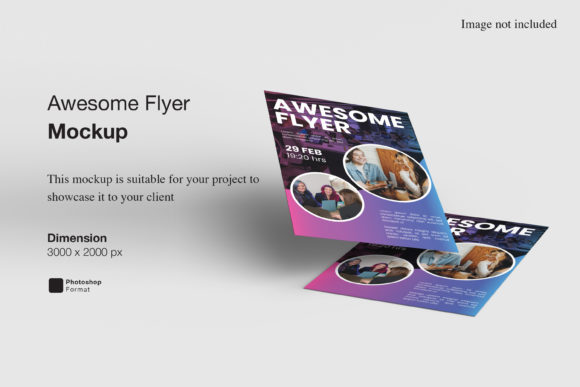
- High Resolution Output: The file is provided at a resolution of 300 DPI (dots per inch) with dimensions of 3000x2000 pixels. This ensures that when the mockup is exported for web use or high-quality printing, the text remains crisp and the photographic elements do not pixelate. For screen-based portfolios, this resolution provides ample clarity on modern high-DPI displays.
- Smart-Object Integration: As noted, the reliance on smart objects is the central feature. This allows for non-destructive editing. Designers can swap out designs repeatedly without degrading the quality of the underlying photograph or illustration.
- Customizable Background: One of the most valuable aspects of this mockup is the ability to change the background color. Whether a designer needs a neutral white backdrop for a clean portfolio look, a dark studio setting for dramatic contrast, or a specific brand color for consistency, the template supports easy background adjustments. This versatility allows the same mockup to be repurposed across different branding contexts.
- User Guidance: The package includes a PDF help guide. While many modern templates are intuitive, having written instructions can assist less experienced users in navigating the layer structure or troubleshooting common Photoshop issues.
Benefits for Design Professionals
The primary value proposition of the Perspective DL Flyer Mockup lies in efficiency and professionalism. For freelancers and agency staff, client presentations are pivotal moments. A well-presented design suggests attention to detail and competence. By using a realistic 3D mockup, designers move beyond showing a flat JPEG; they show a tangible product. This psychological shift can influence client perception, making the design feel more "real" and ready for production.
Furthermore, the ease of use reduces the learning curve. Traditional methods of creating mockups involve complex blending modes, displacement maps, and manual perspective transformations. These processes are time-consuming and prone to error. The smart-object approach of this template streamlines the process, allowing designers to focus on the creative aspect of their presentation rather than the technical mechanics of Photoshop. This is particularly beneficial during tight deadlines or when managing multiple projects simultaneously.
Considerations and Potential Limitations
While the Perspective DL Flyer Mockup offers significant advantages, it is important to approach its selection with a balanced view. No single template fits every scenario, and there are tradeoffs to consider.
Format Dependency: The file is exclusively in PSD format. This means it requires Adobe Photoshop to utilize its full functionality. Designers who rely on other software such as Affinity Photo, GIMP, or Canva will find this template unusable unless they have access to Photoshop. Additionally, older versions of Photoshop may struggle with newer smart-object structures, so checking version compatibility is advisable.
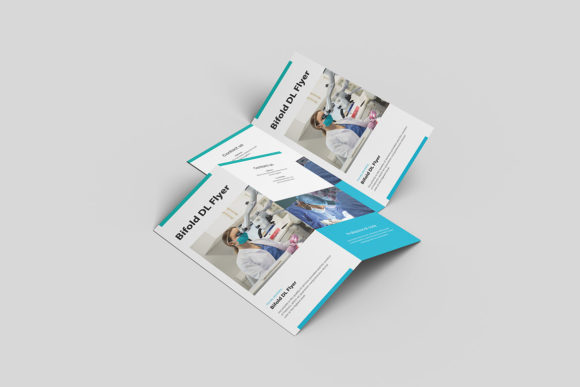
Static Perspective: The mockup captures a single angle. If a designer needs to show the flyer from multiple viewpoints (e.g., front, back, folded, or held in hand), they would need to purchase additional mockups or create variations manually. The perspective is fixed, meaning the camera angle cannot be adjusted within the file.
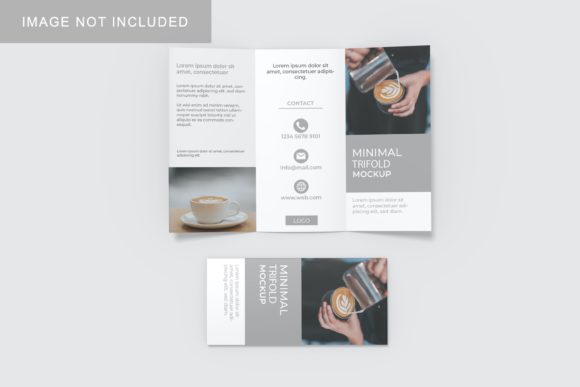
Stock Imagery Disclaimer: It is crucial to note that the photos used in the preview images are for illustration purposes only and are not included in the download. Users must understand that they are purchasing the template structure, not the lifestyle photography. While this keeps the file lightweight and copyright-free for the end-user, it also means the aesthetic appeal relies heavily on the user's ability to integrate their design into the provided scene.
Situational Fit: Who Should Use This?
This mockup is a strong fit for graphic designers specializing in print media, branding agencies pitching corporate identity packages, and freelance illustrators looking to enhance their Behance or Dribbble portfolios. It is particularly useful for designers who frequently work with DL-sized formats, such as event flyers, informational brochures, or promotional leaflets.
If your goal is to quickly generate a polished, realistic preview of a DL flyer for a client email or social media post, this tool provides excellent return on investment. The combination of high resolution and easy customization makes it suitable for both novice designers seeking guidance and experienced professionals needing speed.
Alternatives and Decision-Making Insights
For those whose needs extend beyond a single DL flyer, alternatives may be worth considering. If you require versatility across different paper sizes (A4, A5, business cards), a comprehensive mockup bundle might be more cost-effective than purchasing individual templates. Similarly, if you prefer working in 3D rendering software like Blender or Cinema 4D for ultimate control over lighting and angles, a PSD mockup may feel limiting.
When deciding whether to acquire the Perspective DL Flyer Mockup, ask yourself: Do I primarily present DL-sized print work? Do I use Photoshop regularly? Do I need a quick, reliable way to make my designs look tangible? If the answer to these questions is yes, this template offers a straightforward, professional solution. It removes the guesswork from presentation, allowing the design itself to take center stage. By leveraging its smart-object features and customizable backgrounds, designers can maintain a consistent, high-quality visual standard across their portfolio, ultimately supporting better client communication and project outcomes.