Minimalist Business Card Mockup: Professional Presentation Tool
In the competitive landscape of modern networking, first impressions are often formed before a single word is exchanged. For designers, freelancers, and entrepreneurs, the physical business card remains a tangible touchpoint that bridges digital identity with personal interaction. However, presenting these designs to clients or stakeholders requires more than just a flat image; it demands context, realism, and visual appeal. This is where a Minimalist Business Card Mockup becomes an indispensable asset in your creative workflow.
A high-quality mockup does not merely display a design; it sells the vision behind it. By placing your graphic work onto a realistic 3D surface, you provide clients with a clear understanding of how their brand will look in the real world. This article explores the practical benefits, features, and applications of using minimalist mockups to elevate your professional presentations.
The Power of Realistic 3D Visualization
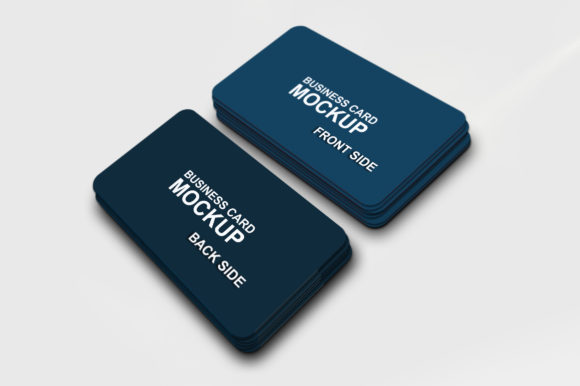
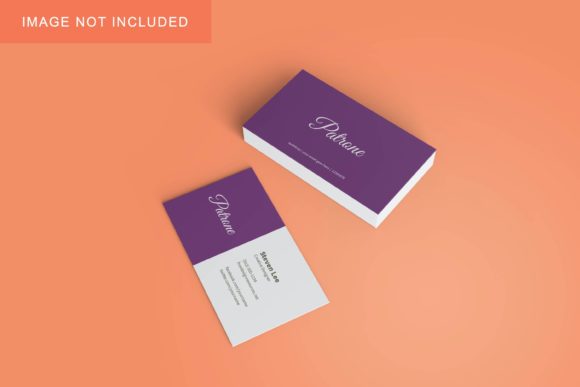
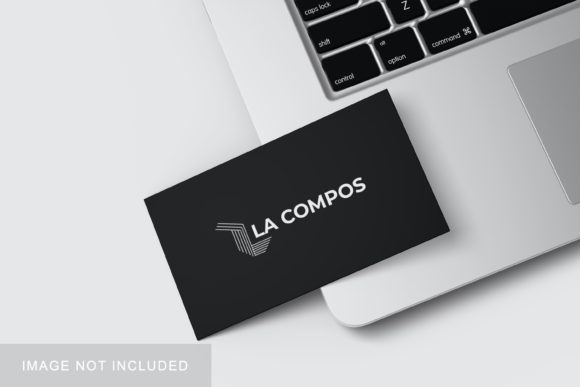
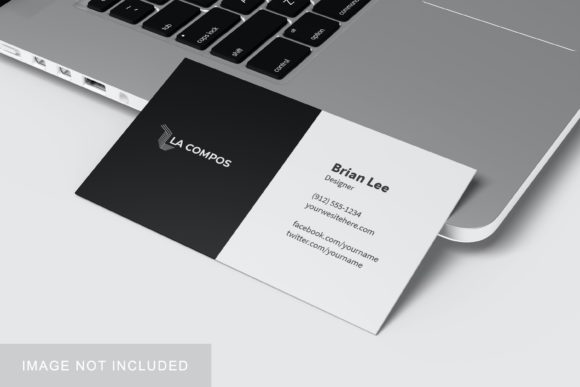
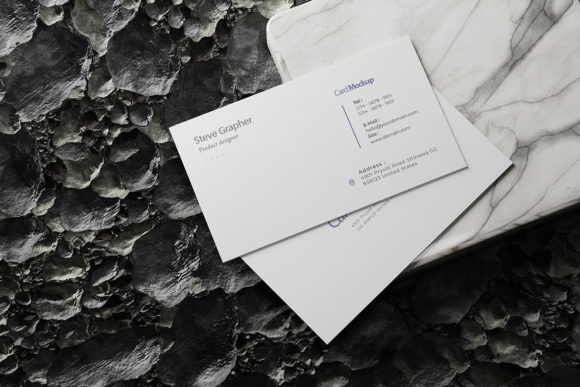
Why settle for a flat JPEG when you can offer a photorealistic experience? A Minimalist Business Card Mockup transforms abstract graphics into concrete objects. The "minimalist" aspect is crucial here. Unlike cluttered environments filled with distracting props—coffee cups, laptops, or messy desks—a clean background allows the focus to remain squarely on the card itself.
This simplicity serves a strategic purpose. It reduces cognitive load for the viewer, ensuring that the typography, color palette, and layout of your design are the primary focal points. Whether you are pitching a corporate rebrand to a conservative board or showcasing a startup logo to early investors, the uncluttered presentation communicates confidence and clarity. It suggests that your design is strong enough to stand alone without needing excessive decoration to make an impact.
Streamlining Your Workflow with Smart Objects
Efficiency is the backbone of any successful creative operation. Manually editing photos to place designs onto cards is time-consuming and prone to error. Modern mockups solve this problem through the use of Smart Objects within Adobe Photoshop.
When you download a PSD file featuring smart-object capabilities, the process changes from complex photo manipulation to simple drag-and-drop functionality. Here is how it works:
- Open the File: Launch the PSD file in Photoshop. You will see layers labeled specifically for the design area.
- Double-Click: Double-click the smart-object thumbnail. This opens a new tab containing a blank canvas.
- Paste Your Design: Paste your vector or raster artwork directly into this window. Ensure it fits within the designated safe zones.
- Save and Update: Save the smart-object file (usually via Command+S or Control+S). Return to the main document, and your design will automatically update in 3D perspective.
This feature allows you to replace current designs with your own within seconds. It eliminates the need for manual warping, masking, or blending modes, significantly reducing the time spent on repetitive tasks. For agencies managing multiple client revisions, this speed translates directly into higher productivity and faster turnaround times.
Technical Specifications That Matter
Not all mockups are created equal. When evaluating a tool like the Minimalist Business Card Mockup, technical specifications ensure that the final output meets professional printing and digital standards. Key features to look for include:
- High Resolution: A size of 3000x2000 pixels provides ample detail for both web viewing and large-format printing. This resolution ensures that text remains crisp and edges stay sharp.
- Print-Ready DPI: At 300 dpi (dots per inch), the mockup meets industry-standard requirements for print production. This means you can use the mockup images in printed portfolios or marketing materials without worrying about pixelation.
- Customizable Backgrounds: The ability to change the background color allows for versatility. You might want a white background for a clean, clinical look, or a dark tone to convey luxury and sophistication. This flexibility helps match the mockup to various branding contexts.
- User-Friendly Guides: Many premium templates include a PDF help guide. These resources are invaluable for beginners who may be unfamiliar with Photoshop’s layer management, ensuring they can utilize the template effectively from day one.
Practical Applications Across Industries
The utility of a minimalist business card mockup extends far beyond graphic designers. Its adaptability makes it suitable for a wide range of professionals and environments.
For Freelancers and Creatives
Freelance illustrators, photographers, and videographers can use these mockups to showcase their portfolio. Instead of sending a generic email attachment, they can embed a link to a webpage displaying their work on realistic cards. This adds a layer of professionalism that can justify higher rates and attract serious clients.
For Marketing Agencies
Agencies often present comprehensive brand packages. A mockup allows them to demonstrate how a logo looks on stationery, creating a cohesive narrative. It helps clients visualize the entire brand ecosystem, from digital ads to physical collateral, fostering better communication and alignment.
For Educators and Students
In academic settings, such as design schools or business courses, students learn the importance of presentation. Using a Minimalist Business Card Mockup teaches them how to contextualize their work. It is also useful for educators creating teaching materials or course promotions, providing a polished look to online course materials.
For Small Business Owners
Entrepreneurs planning to launch a new venture can use mockups to test different design concepts before committing to expensive printing runs. By comparing two different card designs side-by-side in a realistic setting, they can make informed decisions about which aesthetic resonates best with their target audience.
Important Considerations for Best Results
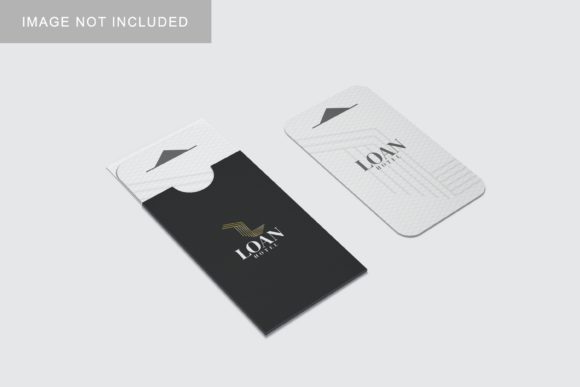
To get the most out of your mockup, keep a few practical considerations in mind. First, always remember that the photos used in previews are for illustration purposes only. They are not included in the download. You must supply your own artwork to populate the template.
Second, pay attention to the safe zones of your design. Even with smart objects, if your text or critical logos are too close to the edge of the card, they may be cut off during the actual printing process. Use the mockup to check for these issues virtually before going to press.
Finally, consider the lighting and shadows in the mockup. While a minimalist approach strips away distractions, the subtle interplay of light and shadow on the card’s surface adds depth. Ensure that your design colors contrast well with the card material depicted in the mockup to maintain readability and visual interest.
Conclusion
Investing in a high-quality Minimalist Business Card Mockup is an investment in your professional image. It streamlines your workflow, enhances the perceived value of your designs, and facilitates clearer communication with clients. By leveraging smart-object technology and focusing on clean, realistic visuals, you can present your work with the authority and polish that top-tier brands demand. Whether you are a seasoned pro or just starting out, this tool offers a simple yet powerful way to elevate your branding efforts.