Realistic A3 Frame Mockup V3: A Practical Evaluation for Design Professionals
In the competitive landscape of graphic design and digital marketing, the presentation of work is often as critical as the work itself. Clients do not just evaluate the aesthetic quality of a logo or the layout of a brochure; they assess how that design will look in the real world. This is where high-fidelity mockups become indispensable tools. Among the various resources available to designers, the Realistic A3 Frame Mockup V3 stands out as a functional, efficient asset for professionals who need to showcase their work with clarity and precision. This evaluation explores the technical specifications, usability, and practical applications of this PSD-based resource, determining whether it offers genuine value for freelancers, agencies, and creative entrepreneurs.
The Core Purpose and Technical Foundation
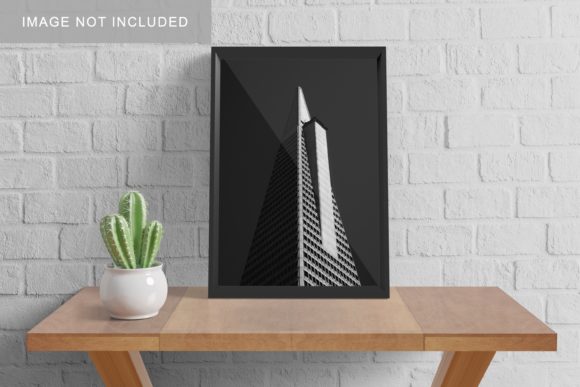
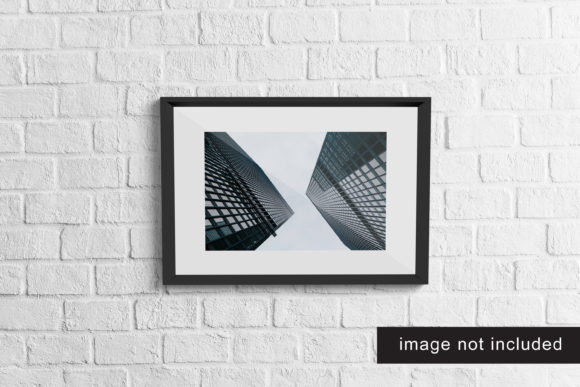
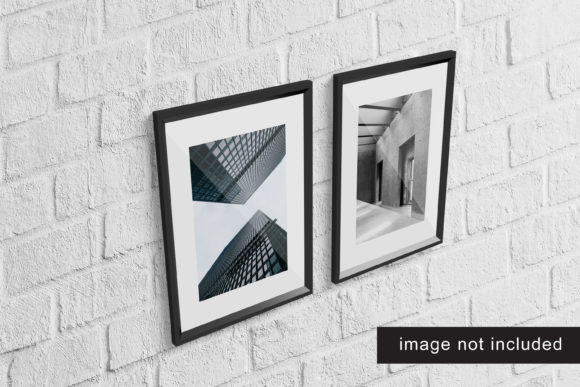
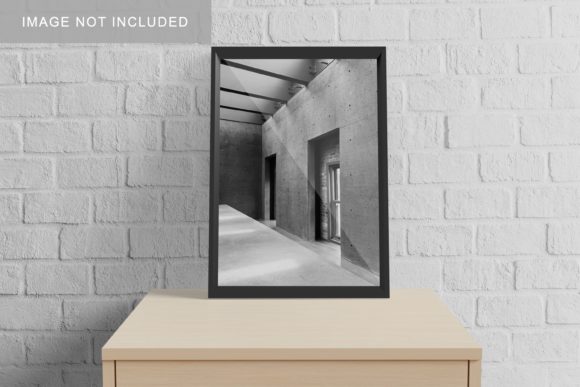
The primary function of the Realistic A3 Frame Mockup V3 is to provide a realistic 3D display environment for flat designs. Unlike simple 2D overlays, this mockup utilizes depth, shadow, and perspective to simulate a physical framed artwork hanging on a wall. The file is delivered in Photoshop (PSD) format, which is the industry standard for layered editing. However, its true strength lies in its architecture: it is built around smart-object technology. This feature allows users to replace the placeholder image with their own design files instantly, without needing to manually align layers, adjust masks, or troubleshoot complex blending modes.
From a technical standpoint, the mockup is designed with resolution and scalability in mind. It features a canvas size of 3000x2000 pixels at 300 DPI. For context, this resolution is sufficient for high-quality print outputs up to A3 size while remaining manageable for web-based presentations. The 300 DPI setting ensures that when designs are exported for client portfolios or social media, they retain crisp edges and accurate color representation. This technical foundation suggests that the creator prioritized both digital display fidelity and potential print readiness, catering to a broad spectrum of professional needs.
User Experience and Workflow Efficiency
For busy professionals, time is a finite resource. The Realistic A3 Frame Mockup V3 addresses this constraint by streamlining the workflow. The inclusion of smart objects means that the process of updating a design takes seconds rather than minutes. A designer can drag and drop a new JPEG or PNG into the designated layer, and the software automatically maps it onto the frame surface, adjusting for perspective and lighting. This ease of use reduces the friction between creating a design and presenting it, allowing creatives to iterate quickly through multiple concepts.
Furthermore, the mockup includes a PDF help guide. While many modern assets assume a high level of user expertise, this addition demonstrates a commitment to accessibility. It provides clear instructions for those who may be less familiar with advanced Photoshop techniques, ensuring that even junior designers or clients with limited technical skills can utilize the template effectively. The presence of such documentation enhances the reliability of the product, reducing the likelihood of errors during the setup phase.
Customization and Flexibility
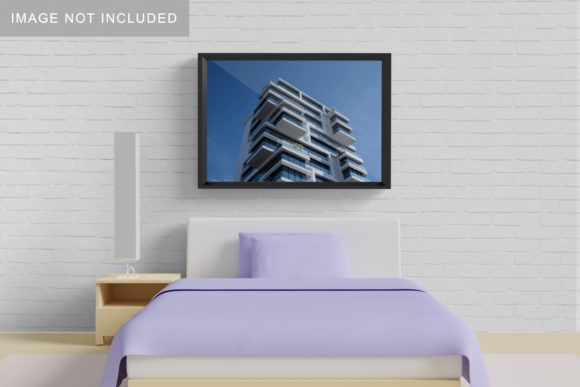
One of the most significant advantages of the Realistic A3 Frame Mockup V3 is its flexibility regarding background customization. The ability to change the background color allows designers to tailor the presentation to specific brand identities or project contexts. Whether a client prefers a stark white gallery wall, a warm beige living room ambiance, or a bold colored backdrop that complements the design’s palette, the mockup accommodates these variations. This adaptability is crucial for maintaining consistency across a portfolio or marketing campaign.
However, it is important to note that the mockup focuses on the frame and the immediate surrounding wall space. The photos used in the preview images are for illustration purposes only and are not included in the download. Users must source their own background imagery if they wish to create more complex environmental scenes. While this requires additional effort, it also prevents the mockup from becoming visually cluttered with unrelated decorative elements, keeping the focus squarely on the design being showcased.
Real-World Applications and Target Audience
The versatility of the Realistic A3 Frame Mockup V3 makes it suitable for a diverse range of professionals. Graphic designers can use it to present poster designs, exhibition prints, or large-format advertisements. Marketers and small business owners may find it useful for visualizing promotional materials before committing to print runs. Educators and bloggers can leverage the mockup to create engaging header images or featured graphics for articles about art, design trends, or interior styling.
Freelancers and agency owners benefit particularly from the professional appearance this tool affords. When pitching ideas to clients, having a realistic representation of the final product helps bridge the gap between abstract concepts and tangible results. It reduces ambiguity and builds trust, as clients can better visualize the scale and impact of the design. Additionally, serious hobbyists who sell their artwork online can use this mockup to create polished product listings that compete with professional artists’ portfolios.
Limitations and Considerations
No tool is without its limitations. The Realistic A3 Frame Mockup V3 is specifically optimized for A3 dimensions. While this is a standard size for posters and fine art prints, it may not be suitable for projects requiring other aspect ratios, such as standard letter-sized documents or square social media posts. Users working with non-standard formats would need to either crop their designs or seek out different mockup templates.
Additionally, the realism of the mockup depends heavily on the quality of the source design. Since the smart object applies the design to a pre-rendered 3D surface, any low-resolution or poorly lit original images may appear distorted or unnatural within the frame. Designers must ensure their input files are high-quality to maintain the integrity of the final presentation. Furthermore, while the background color is changeable, the lighting and shadows on the frame itself are static. This means that the mockup works best against neutral or complementary backgrounds; placing it against highly contrasting or complex textures might result in a slight disconnect in lighting realism.
Conclusion: Is It Worth the Investment?
The Realistic A3 Frame Mockup V3 offers a solid blend of professionalism, ease of use, and technical reliability. Its strong points lie in its straightforward smart-object implementation, appropriate resolution for both web and print, and flexible background options. These features make it an excellent choice for designers who need to produce clean, convincing presentations without spending excessive time on technical setup.
While it has specific constraints regarding size and static lighting, these are minor compared to the overall utility it provides. For professionals seeking a dependable tool to elevate their design presentations, this mockup delivers consistent value. It simplifies the workflow, enhances the perceived quality of the work, and supports a wide variety of creative industries. Ultimately, it serves as a practical asset that respects the designer’s time while maximizing the visual impact of their creations.