Realistic Smartphone Mockup Template: A Practical Evaluation for Designers
In the competitive landscape of digital design, presentation is often as critical as the creative work itself. Whether you are a freelance graphic designer pitching a brand identity to a client, a mobile app developer showcasing an interface update, or a marketer preparing assets for a social media campaign, the way your work is displayed can significantly influence perception. This is where a Realistic Smartphone Mockup Template becomes an indispensable tool in the modern creative workflow. It bridges the gap between abstract digital files and tangible, relatable visual experiences.
This evaluation examines the specific features, usability, and practical value of a high-quality smartphone mockup resource designed for professional use. By analyzing its technical specifications and functional capabilities, we can determine how it fits into various design processes and why it offers distinct advantages over generic placeholder images.
The Core Purpose: Elevating Visual Presentation
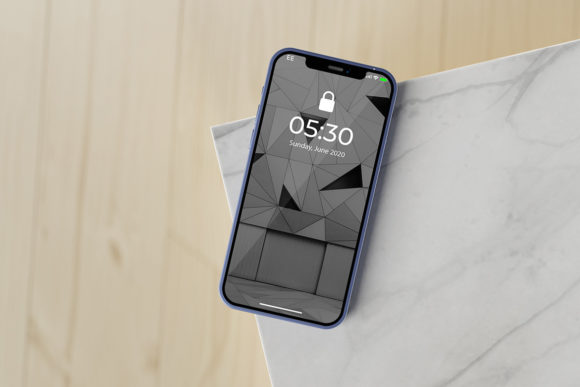
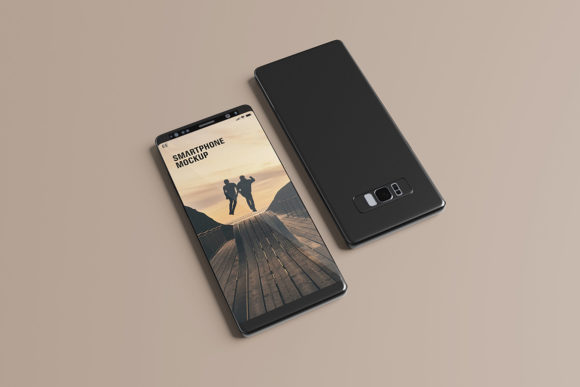
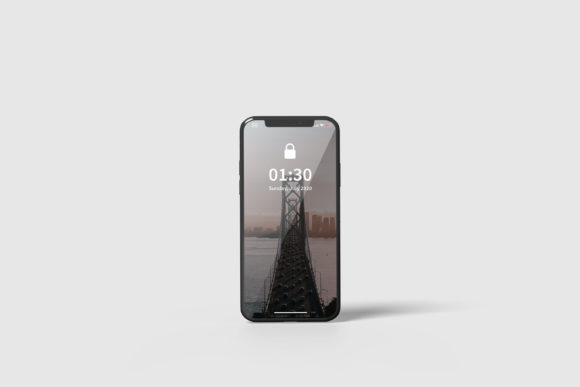
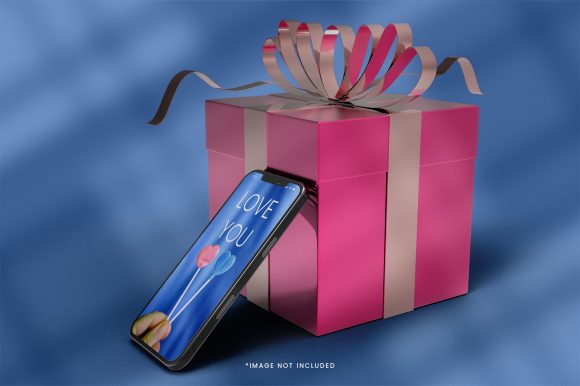
A Realistic Smartphone Mockup Template serves a singular, vital purpose: to showcase designs professionally in a realistic 3D display. Unlike flat screenshots, which can appear sterile or disconnected from user context, a 3D mockup places your artwork within a recognizable environment. It simulates the experience of holding a device, thereby helping stakeholders visualize the final product more accurately.
For professionals such as entrepreneurs, marketers, and creators, this distinction matters. When presenting a UI/UX design, a logo on a phone screen feels more integrated and premium than a JPEG pasted onto a white background. The template allows designers to communicate not just the content of the design, but its application. This contextualization builds trust and clarity, reducing the cognitive load for clients who may struggle to interpret flat wireframes or static screens.
Technical Specifications and Quality Standards
When evaluating any digital asset, technical precision is paramount. The quality of a mockup is determined by its resolution, layer structure, and flexibility. This particular template adheres to industry standards that ensure crisp, professional output.
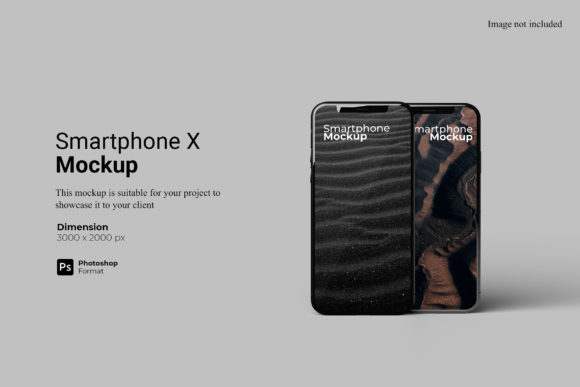
- Resolution and Size: The file is provided at a substantial size of 3000x2000 px with a resolution of 300 dpi. This high pixel density ensures that when used for print materials, such as pitch decks or brochures, or for high-resolution web displays, the image remains sharp and free from pixelation. For a small business owner or educator creating educational materials, this clarity prevents the "cheap" look associated with low-res graphics.
- Format Compatibility: Available in PSD (Photoshop) format, the template leverages the robust editing capabilities of Adobe Photoshop. This is the standard expectation for most design professionals, ensuring seamless integration into existing workflows without the need for complex conversion tools.
- Smart-Object Technology: The cornerstone of this template’s efficiency is its use of Smart-Objects. This feature allows designers to replace the current designs with their own within seconds. Instead of manually masking, warping, and adjusting layers to fit a curved screen, you simply double-click the smart-object layer, paste your design, and save. The template automatically handles the perspective and blending modes.
Usability and Workflow Efficiency
Time is a finite resource for freelancers, agencies, and solo creators. A tool that slows down the process is rarely adopted, regardless of its aesthetic appeal. The Realistic Smartphone Mockup Template is engineered for speed and ease of use, addressing one of the most common pain points in design production: repetitive formatting tasks.
The inclusion of a PDF help guide is a thoughtful addition. While experienced designers may find the smart-object workflow intuitive, beginners or those transitioning from other software may benefit from clear instructions. This guide likely covers how to navigate the layers, how to export the final image, and how to troubleshoot common issues. This support reduces the friction of adoption, making the tool accessible to serious hobbyists and educators who may be teaching design principles to students.
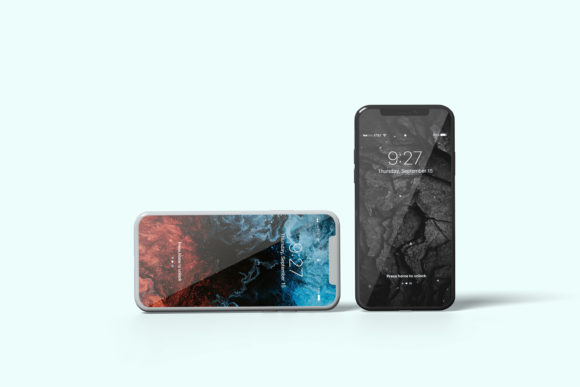
Furthermore, the ability to change the background-color adds a layer of versatility. In real-world scenarios, designs are rarely presented in isolation. A dark mode app might look better against a neutral gray background, while a vibrant marketing campaign might pop against a bright, solid color. This flexibility allows designers to tailor the presentation to match the mood of the project or the branding guidelines of the client, all within the same file structure.
Practical Applications Across Industries
The utility of this template extends across a wide spectrum of professions. Here is how different user groups might leverage these resources:
For Freelancers and Agencies
When bidding on projects or delivering final assets, first impressions count. Using a Realistic Smartphone Mockup Template allows agencies to present case studies that look polished and complete. It demonstrates attention to detail and professionalism, which can justify higher rates and foster long-term client relationships. The ease of swapping designs means that a single mockup file can be reused for dozens of different client projects, saving hours of manual labor.
For Marketers and Content Creators
Social media platforms are dominated by visual content. Marketers need eye-catching thumbnails and post graphics that stand out in crowded feeds. A realistic 3D phone display provides depth and interest that flat graphics lack. By quickly generating varied visuals for different campaigns using the same base template, creators can maintain consistency while offering fresh aesthetics. The 3000x2000 px resolution ensures these assets remain high-quality even after being resized for various platform requirements.
For Educators and Publishers
Educators creating course materials or textbooks on mobile design need accurate representations of devices. Textbooks printed in black and white or low color fidelity benefit from clean, high-contrast mockups. The PDF guide and straightforward PSD structure make it easy for non-designer educators to update examples as technology evolves, ensuring their materials remain relevant.
Limitations and Considerations
No tool is without its constraints. It is important to note that the photos used in the preview are not included; they serve only for illustration purposes. This is standard practice, but it means users must provide their own source imagery. Additionally, because the template relies on Photoshop’s Smart-Objects, it requires access to Adobe Photoshop. Users relying on free alternatives like GIMP or Affinity Designer may face compatibility hurdles unless they convert the layers, which can sometimes break the smart-object functionality.
Another consideration is the realism of the lighting and shadows. While the template provides a realistic 3D display, the quality of the final render depends on the quality of the input design. If a designer uploads a flat, unrefined screenshot, the mockup will merely magnify its simplicity. The tool enhances good design; it does not fix poor design. Therefore, it is most effective when paired with well-prepared, high-fidelity artwork.
Long-Term Value and Consistency
One of the strongest arguments for investing in a dedicated Realistic Smartphone Mockup Template is the consistency it brings to a portfolio or brand. By using the same device model, angle, and lighting style across multiple projects, designers create a cohesive visual language. This consistency reinforces brand identity. For example, a tech startup might always use a sleek, silver smartphone mockup to convey innovation and modernity.
The durability of the PSD format also contributes to long-term value. Unlike trendy, ephemeral templates that may become outdated visually, a classic smartphone mockup remains relevant as long as smartphones exist. The ability to easily update the background color and swap designs ensures the template can adapt to changing trends without needing to purchase new assets repeatedly.
Conclusion
The Realistic Smartphone Mockup Template represents a pragmatic investment for anyone serious about visual communication. Its combination of high-resolution output, user-friendly smart-object technology, and flexible customization options addresses the core needs of modern designers. From freelancers seeking to polish their presentations to educators aiming for clarity, this tool streamlines the workflow while elevating the perceived value of the work.
While it requires specific software and a foundational understanding of design preparation, the time saved and the professional impact gained make it a worthwhile addition to any creative toolkit. For those looking to move beyond basic screenshots and present their work in a compelling, realistic context, this template offers a reliable, efficient, and effective solution.