Smartphone X Mockup: Professional Design Showcase
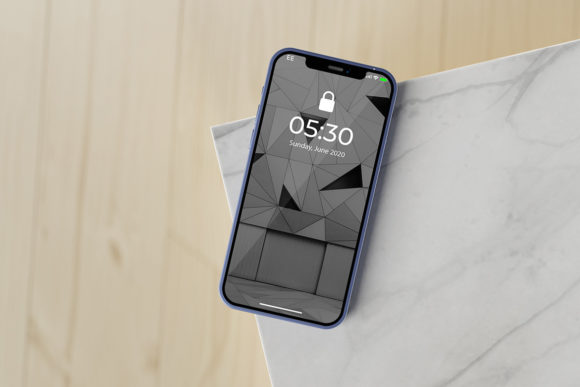
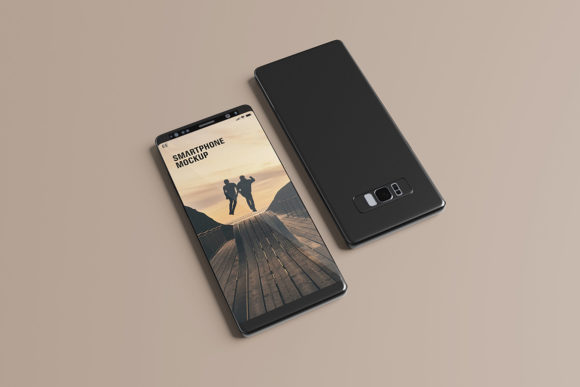
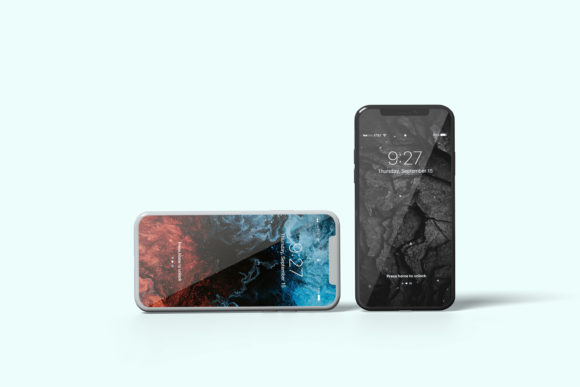
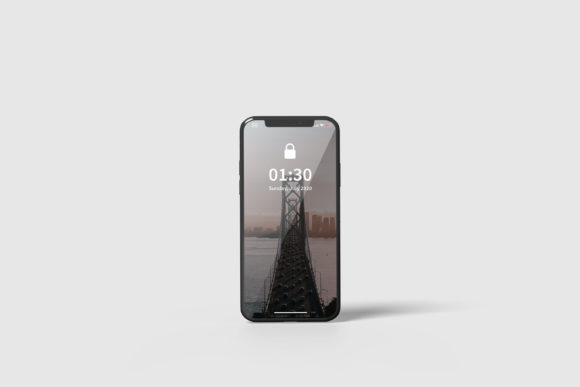
In the competitive world of digital design, presenting your work effectively is just as critical as the quality of the design itself. A static image often fails to convey the depth and usability of a mobile application or website interface. This is where a high-quality Smartphone X Mockup becomes an indispensable asset for creators, marketers, and business owners. It transforms flat designs into realistic, three-dimensional presentations that capture attention and communicate professionalism instantly.
This specific mockup tool is designed to bridge the gap between creative concept and final product visualization. By offering a realistic 3D display, it allows you to showcase your designs in a context that users recognize from their daily lives. Whether you are pitching a new app to stakeholders, updating your portfolio, or creating social media content, having the right presentation tools can significantly influence how your work is perceived.
Why Presentation Matters in Digital Marketing
First impressions count, especially online. When potential clients or employers view your portfolio, they spend mere seconds deciding whether to engage further. A generic screenshot looks amateurish compared to a polished, device-integrated render. The Smartphone X Mockup addresses this by providing a clean, modern frame that highlights your UI/UX elements without distraction.
For entrepreneurs and freelancers, time is money. Manual editing of screenshots to look like they are on a phone screen is tedious and prone to error. Smart-object technology streamlines this process, allowing you to replace designs within seconds. This efficiency means you can focus more on creating great content and less on technical formatting.
Key Features and Technical Specifications
The effectiveness of any design resource lies in its versatility and ease of use. The Smartphone X Mockup is built with practicality in mind, ensuring it fits seamlessly into existing workflows. Below are the core characteristics that make it a valuable addition to your toolkit.
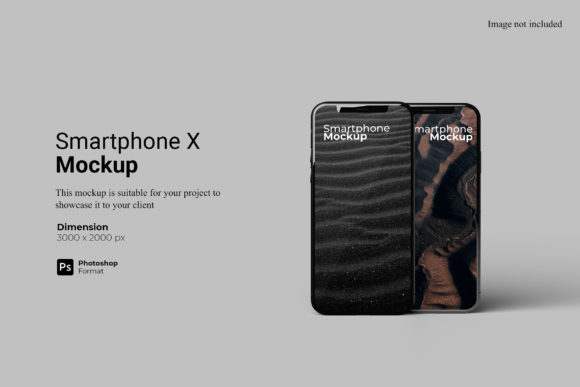
- Smart-Object Integration: The file is available in PSD Photoshop format, featuring smart-object layers. This means you can double-click the placeholder layer, paste your design, and save. The mockup updates automatically, maintaining shadows, reflections, and perspective.
- High Resolution Output: With a size of 3000x2000 pixels at 300 dpi, the output is crisp enough for print materials, large web banners, and high-DPI displays. You do not need to worry about pixelation when scaling up for presentations.
- Customizable Backgrounds: Visual context matters. The ability to change the background color allows you to match the mockup to your brand identity or create contrasting visuals for different marketing channels.
- User-Friendly Documentation: A PDF help guide is included, ensuring that even those less familiar with advanced Photoshop techniques can utilize the file effectively.
Practical Applications Across Industries
The utility of a Smartphone X Mockup extends far beyond simple graphic design. Its adaptability makes it suitable for a wide range of professionals who need to present visual data clearly.
For App Developers and UX/UI Designers
If you are developing a mobile application, showing wireframes or high-fidelity prototypes on a realistic device helps stakeholders understand the user journey. It provides context regarding screen real estate, button placement, and navigation flow. This is crucial during client meetings where non-technical team members need to visualize the end product.
For Marketers and Social Media Managers
Social media platforms are dominated by mobile users. Posts featuring apps or websites displayed on smartphones tend to perform better because they resonate with the user's environment. Use the customizable background feature to create eye-catching posts for Instagram, LinkedIn, or Twitter. Consistent branding across these assets builds trust and recognition.
For Educators and Bloggers
Educational content benefits greatly from visual aids. If you are writing a tutorial on web development or reviewing a new software tool, embedding screenshots within a Smartphone X Mockup adds a layer of polish to your articles. It signals to readers that your content is well-produced and reliable.
For Freelancers and Agencies
When submitting proposals or case studies, the presentation of your work reflects on your agency’s brand. Using a professional mockup demonstrates attention to detail. It shows that you care about the holistic experience of your client’s product, not just the code or the graphics.
Benefits of Using Smart-Object Technology
The inclusion of smart-object features is perhaps the most significant advantage of this resource. Traditional methods of compositing images require manual masking, warping, and lighting adjustments. These processes are not only time-consuming but also difficult to replicate consistently across multiple projects.
With smart objects, the workflow becomes standardized. You can create a template once and reuse it indefinitely. This consistency is vital for brands that need to maintain a uniform look across all their marketing materials. Furthermore, the non-destructive nature of smart objects means you can experiment with different designs without altering the original source files.
Efficiency and Productivity
By reducing the time spent on technical setup, designers can produce more assets in less time. This is particularly beneficial for agencies handling multiple clients simultaneously. The ability to swap designs quickly allows for rapid iteration based on feedback, accelerating the project timeline.
Enhanced Communication
Visual communication is powerful. A realistic mockup reduces ambiguity. Instead of describing how a button should look on a curved screen, you show it. This clarity minimizes miscommunication between designers, developers, and clients, leading to smoother project execution.
Considerations for Implementation
While the Smartphone X Mockup offers numerous advantages, it is important to use it wisely to maximize its impact.
Content Relevance: Ensure that the design you place inside the mockup is optimized for the screen size. A design that works well on desktop may look cluttered on a smartphone. Always test your interfaces before placing them in the mockup.
Background Selection: Choose backgrounds that complement rather than compete with your design. Neutral tones often work best for professional presentations, while vibrant colors can be used for creative campaigns. The ease of changing the background color allows for quick experimentation.
Resolution Awareness: Although the file is high-resolution, ensure your source designs are also high quality. Placing a low-res screenshot into a 300 dpi mockup will result in a blurry appearance. Maintain consistent resolution standards throughout your workflow.
Usage Rights: As noted, photos used in previews are for illustration purposes only. Always use your own content or properly licensed assets when creating final deliverables. Respect copyright laws to avoid legal issues.
Conclusion
The Smartphone X Mockup is more than just a template; it is a strategic tool for enhancing the presentation of digital work. Its combination of high resolution, smart-object functionality, and customizable features makes it suitable for a diverse audience of professionals. By adopting this resource, you can elevate your portfolio, improve client communications, and streamline your design process. In an era where visual appeal drives engagement, investing in quality presentation tools is a decision that yields long-term benefits for your brand and career.