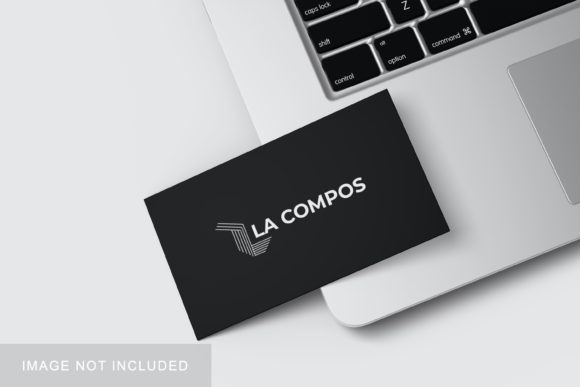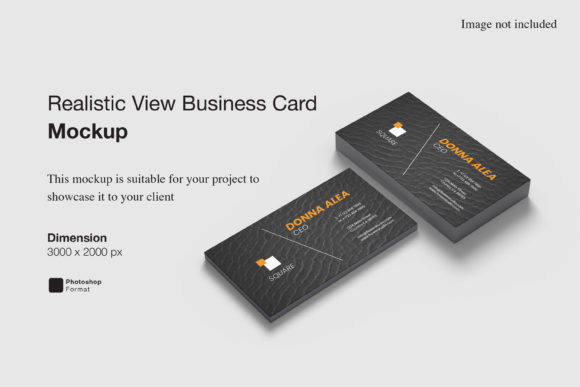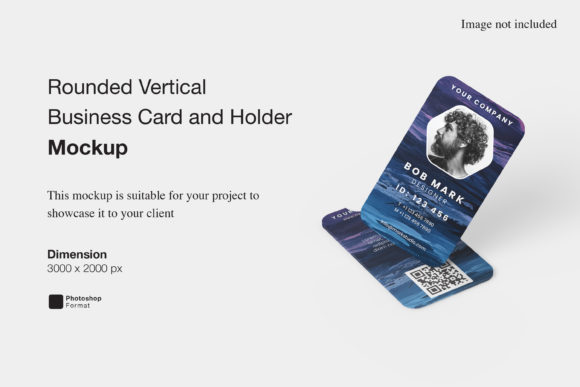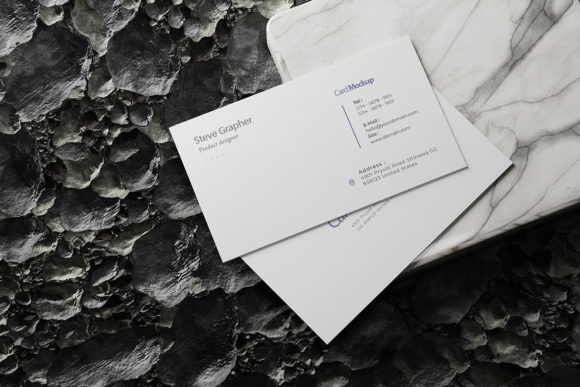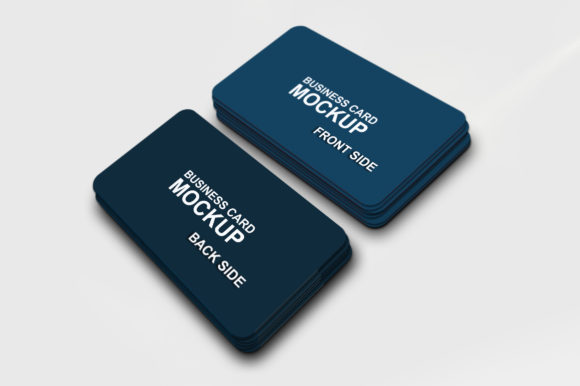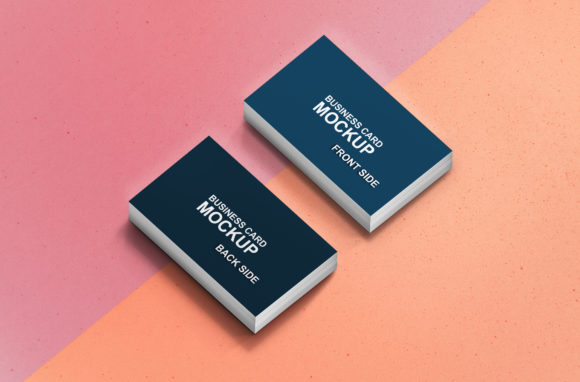
Business Card Creative Mockup
In the competitive landscape of professional branding, first impressions are not merely important; they are decisive. For designers, freelancers, and small business owners, the physical representation of a brand often begins with the business card. However, presenting a flat digital file to a client or stakeholder rarely conveys the weight, texture, and spatial presence of the final product. This is where the Business Card Creative Mockup becomes an indispensable asset in the creative workflow. It serves as a bridge between abstract design concepts and tangible reality, allowing professionals to showcase their work in a realistic 3D display that resonates with viewers.
This tool is particularly valuable for those who need to communicate design intent without the immediate cost or logistical delay of printing physical prototypes. By utilizing high-fidelity visualizations, creators can validate layout decisions, color accuracy, and typographic hierarchy in a context that mimics real-world usage. The following analysis explores the technical specifications, practical applications, and strategic advantages of using this specific PSD-based mockup solution.
The Mechanics of Realistic Presentation
At its core, the Business Card Creative Mockup is designed to eliminate the friction between creation and presentation. Traditional methods of showcasing designs often involve taking photographs of printed cards, which can introduce lighting inconsistencies, shadows, and perspective distortions that obscure the actual design details. In contrast, a digital mockup provides a controlled environment where the focus remains entirely on the artwork itself.
The primary strength of this resource lies in its compatibility with Adobe Photoshop’s smart-object technology. Smart objects allow users to replace placeholder images with their own designs non-destructively. This means that once the template is set up, swapping out a design takes mere seconds. Instead of manually adjusting layers, masks, and blend modes for every new project, the designer simply double-clicks the smart object layer, pastes or places their new artwork, and saves. The mockup automatically updates, maintaining the correct perspective, lighting, and texture mapping. This efficiency is critical for agencies and freelancers managing multiple clients or iterating rapidly on design concepts.
Technical Specifications and Quality Standards
Evaluating a digital asset requires looking beyond its visual appeal to its underlying technical structure. The Business Card Creative Mockup is provided in PSD format, ensuring broad compatibility with industry-standard software. Several key technical attributes contribute to its reliability and professional output:
- Resolution and Clarity: The file size is set at 3000×2000 pixels with a resolution of 300 dpi. This high-resolution standard ensures that when the mockup is exported for web use or high-quality print, the image remains crisp and free from pixelation. For screens, this density provides sharpness even on Retina displays, while for print portfolios, it meets the minimum threshold for professional reproduction.
- Smart-Object Integration: As noted, the smart-object feature is central to the user experience. It preserves the integrity of the original mockup’s lighting and shadow effects while accommodating various aspect ratios and design complexities. This flexibility allows for everything from minimalist text-heavy cards to intricate, full-bleed graphic designs.
- Customizable Backgrounds: One of the most versatile features is the ability to change the background color. A neutral white or gray background may suit corporate presentations, while a textured or colored backdrop might better reflect a creative agency’s brand identity. This adaptability allows the same mockup to serve diverse stylistic needs without requiring separate files.
Practical Applications Across Industries
The utility of the Business Card Creative Mockup extends across a wide spectrum of professional roles. For graphic designers, it is a essential tool for portfolio development. When submitting work to potential employers or clients, a well-presented mockup demonstrates attention to detail and professionalism. It signals that the designer understands not just the graphic elements, but also how those elements exist in physical space.
Entrepreneurs and small business owners benefit significantly by using this tool during the pre-production phase. Before committing funds to a large print run, business owners can visualize how their logo, contact information, and tagline look together in a realistic setting. This can reveal spacing issues, font legibility problems, or color clashes that might be overlooked in a flat digital view. By catching these errors early, businesses avoid costly reprints and ensure a polished launch.
Marketers and content creators also find value in this asset. Social media campaigns often require eye-catching visuals to stop the scroll. A 3D-rendered business card floating against a clean background or resting on a desk surface creates a sense of depth and realism that flat graphics lack. This visual interest can increase engagement rates and make promotional materials more memorable. Furthermore, educators and students in design programs can use the mockup to teach principles of presentation and spatial design, providing a standardized template for evaluating student work.
Evaluating Usability and Workflow Efficiency
When assessing any digital tool, usability is paramount. The Business Card Creative Mockup excels in this area due to its intuitive interface within Photoshop. There is no steep learning curve involved; if a user knows how to open a PSD file and place an image, they can utilize this mockup effectively. The separation of layers is typically well-organized, making it easy to isolate specific elements like shadows, highlights, or the card itself if further customization is desired.
However, it is important to acknowledge potential limitations. While the mockup is highly flexible, it is static. It does not animate or interact. For projects requiring dynamic presentations, such as video reels or interactive web portfolios, additional tools or techniques would be necessary to bring the design to life. Additionally, the realism of the mockup depends on the quality of the source textures. If the paper texture or lighting effects in the mockup do not match the specific finish of the intended print (e.g., matte vs. glossy, embossed vs. flat), there may be a slight disconnect between the digital preview and the final product. Designers must remain aware of this gap and adjust their expectations accordingly.
Long-Term Value and Strategic Fit
Investing time in mastering high-quality mockups pays dividends over the long term. The Business Card Creative Mockup is not just a one-time use file; it is a reusable asset that can be integrated into a permanent library of presentation templates. Over time, building a collection of varied mockups allows professionals to tailor their presentations to specific contexts, enhancing their overall brand authority.
For serious hobbyists and emerging creatives, starting with a robust mockup like this helps establish good habits early. It encourages a mindset of thinking about the end-user’s experience and the physical manifestation of digital ideas. This shift in perspective is crucial for career growth, as it demonstrates a holistic understanding of design beyond mere aesthetics.
In conclusion, the Business Card Creative Mockup offers a practical, efficient, and visually compelling solution for showcasing design work. Its combination of high-resolution output, smart-object flexibility, and customizable features makes it suitable for a wide range of professionals. By reducing the barrier between concept and presentation, it empowers designers, entrepreneurs, and marketers to communicate their vision with clarity and confidence. Whether used for client approvals, portfolio enhancements, or internal reviews, this tool proves that effective presentation is a critical component of successful design execution.