Business Card Mockup V3: Elevate Your Design Presentations
Presenting a business card design is often the difference between landing a client and losing them to a competitor. The physical touch of a well-crafted card conveys professionalism, attention to detail, and brand seriousness. However, printing dozens of physical prototypes for every iteration is costly, time-consuming, and environmentally unfriendly. This is where Business Card Mockup V3 becomes an indispensable tool in your creative workflow. It allows you to showcase your designs professionally in a realistic 3D display, bridging the gap between digital files and tangible reality without the waste.
This mockup is not just a static image; it is a dynamic presentation layer designed for designers, entrepreneurs, marketers, and content creators who need to communicate their vision clearly. By using this PSD file, you can replace your current designs with your own within seconds, ensuring that your portfolio, client pitches, or social media posts look polished and high-end. The visual characteristics of Business Card Mockup V3 are rooted in modern minimalism, offering a clean backdrop that lets the typography and graphic elements of your card take center stage.
The Visual Appeal and Technical Precision
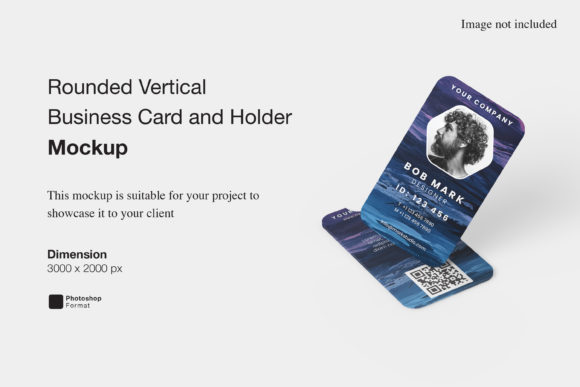
At its core, Business Card Mockup V3 is built on a foundation of technical precision. The file is provided in Photoshop format with a resolution of 300 dpi and dimensions of 3000x2000 pixels. These specifications ensure that when you zoom in to check kerning, bleed lines, or fine details of a logo design, the image remains crisp and clear. For those working in editorial design or packaging design, where print quality is paramount, this level of detail is non-negotiable.
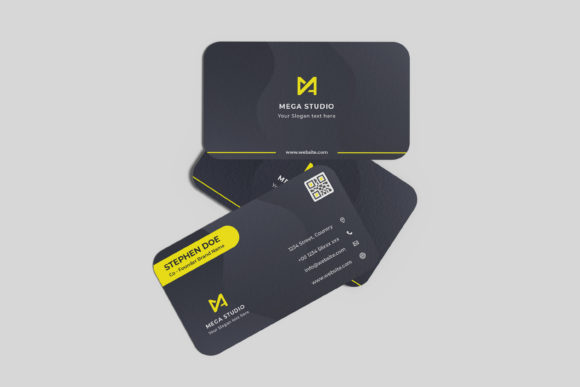
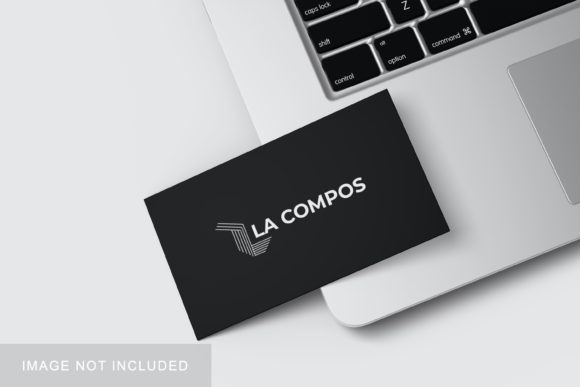
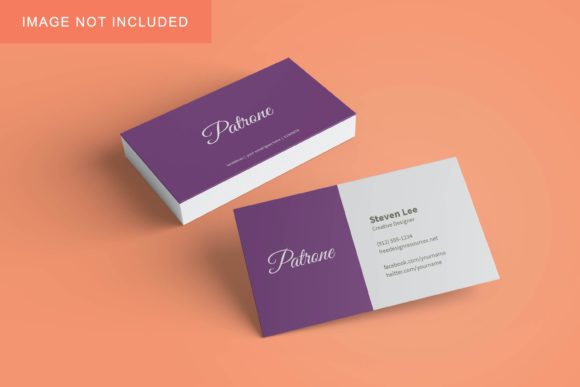
The aesthetic of the mockup leans towards a neutral, sophisticated palette. While the preview images may feature vibrant colors, the underlying structure is designed to be versatile. You have the ability to change the background-color easily, allowing you to adapt the mockup to different contexts. Whether you are presenting a corporate identity for a law firm or a playful brand identity for a crafty startup, adjusting the background hue can set the perfect mood. The lighting and shadows are rendered realistically, giving depth to the card and suggesting texture—matte, glossy, or embossed—depending on how you apply your design layers.
One of the most significant advantages of this asset is its ease of use. The smart-object features are intuitive. Unlike older mockups that required complex masking or manual warping tools, Business Card Mockup V3 allows for a drag-and-drop experience. You simply double-click the smart-object layer, paste your design, save, and the card updates automatically. This efficiency is crucial for freelancers and agency teams who juggle multiple projects and tight deadlines. A PDF help guide is included to assist users who might be less familiar with advanced Photoshop techniques, ensuring that even hobbyists and small business owners can utilize the tool effectively.
Strategic Applications Across Industries
The utility of Business Card Mockup V3 extends far beyond simple name cards. In today’s digital-first world, a business card serves as a hub for all other contact methods. Therefore, how you present it reflects how you manage your broader brand identity. Here is how this mockup fits into various professional scenarios:
- Agency Client Pitches: When presenting a rebrand to a client, consistency is key. Using a high-quality mockup like Business Card Mockup V3 demonstrates that you care about the final output. It shows that you have considered the tactile experience of your brand, which builds trust and perceived value.
- Social Media Graphics: For influencers, bloggers, and content creators, visual appeal drives engagement. A flat image of a card looks amateurish on Instagram or LinkedIn. A 3D-rendered mockup catches the eye, stops the scroll, and encourages shares. It transforms a simple announcement into a piece of premium content.
- E-commerce and Print-on-Demand: If you sell templates or custom printing services, this mockup is essential for product listings. It helps customers visualize what they will receive, reducing return rates and increasing conversion. The realistic display reduces uncertainty, making the purchase decision easier for the buyer.
- Personal Branding: For entrepreneurs and solopreneurs, your personal brand is your currency. Showcasing your card design in a professional context reinforces your expertise. It signals that you are organized, tech-savvy, and invested in your professional image.
In each of these scenarios, the font pairing and layout of the card itself play a critical role. Whether you are using a serif font for a traditional feel or a sans serif font for a modern look, the mockup provides the context needed to evaluate readability and visual hierarchy. It allows you to step back and see how your creative font choices perform in a real-world setting, rather than just on a blank canvas.
Practical Guidance for Implementation
To get the most out of Business Card Mockup V3, it is important to approach the design process with a strategic mindset. Here are some practical recommendations for integrating this tool into your workflow:
- Evaluate Project Fit: Before dropping your design into the mockup, ensure your layout accounts for safe zones and bleed. The realistic rendering will expose any misalignments that might go unnoticed in a flat view. Use the 3000x2000 px size to inspect your work at 100% zoom.
- Test Font Pairings: If your card includes both a headline and body text, test how they interact. Does the bold weight of your primary typeface clash with the delicate lines of your secondary font? The mockup’s lighting can sometimes soften contrast, so ensure your text remains legible against the chosen background color.
- Consider Commercial Licensing: Always review the license agreement associated with the mockup. Most high-quality design assets allow for commercial use in client presentations and portfolios, but restrictions may apply if you resell the mockup itself. Understanding these terms protects your business from legal issues.
- Iterate Quickly: Take advantage of the smart-object feature to create variations. Try different background colors to see which one best complements your brand palette. Experiment with different angles if the mockup supports layer styles for rotation. This rapid iteration helps you find the most compelling visual representation of your design.
Ultimately, Business Card Mockup V3 is more than just a template; it is a communication tool. It helps you tell the story of your brand before a client even speaks to you. By investing time in creating a beautiful card and then presenting it through a professional medium, you elevate the perception of your entire service. In a competitive market, these small details matter. They signal that you are a professional who understands the nuances of design, from the pixel-perfect vector to the tactile feel of printed paper. Whether you are a seasoned designer refining a client’s brand identity or a small business owner launching your first venture, this mockup provides the polish needed to make a lasting impression.
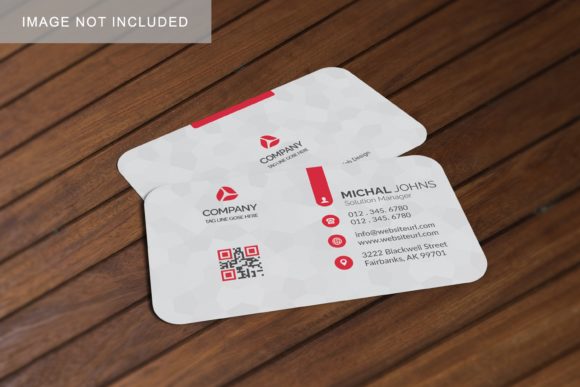
Remember that the photos used in previews are for illustration purposes only. The true power lies in your ability to customize. Replace the placeholder text with your own tagline, swap out generic icons for your unique logo, and adjust the colors to match your specific brand guidelines. The versatility of this PSD file means it can adapt to almost any style, from minimalist black-and-white schemes to rich, colorful illustrations. By leveraging the smart-object features and the high-resolution output, you ensure that your business card stands out as a premium design asset, worthy of being handed to a potential partner or client.