Greeting New Year Card Mockup: A Practical Evaluation for Designers
The transition into a new year is one of the most significant moments in the marketing calendar. For entrepreneurs, content creators, and graphic designers, this period demands high-quality visual assets to capture attention on crowded social media feeds and professional websites. In this context, the Greeting New Year Card Mockup serves as a critical tool in the design workflow. Rather than creating original photography from scratch, which can be time-consuming and expensive, users can leverage pre-made mockups to present their designs in realistic settings.
This article provides an objective evaluation of this specific mockup bundle. It explores its technical specifications, usability features, and ideal use cases, helping you determine whether it aligns with your current project requirements and budget constraints.
Understanding the Product
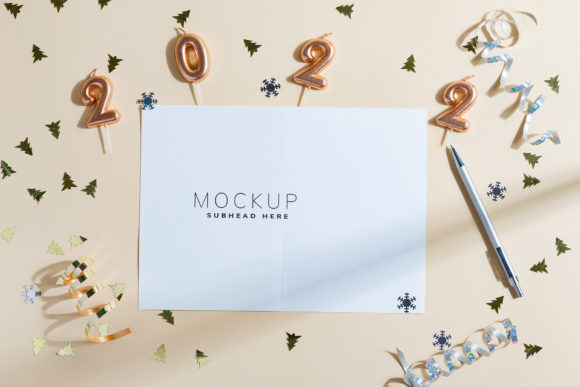
A Greeting New Year Card Mockup is a digital template designed to showcase flat designs within a three-dimensional or photorealistic environment. Specifically, this bundle focuses on card presentations that allow designers to visualize how their typography and layout will look when printed or displayed digitally. The core value proposition lies in its versatility and ease of use, targeting a wide audience including bloggers, magazine editors, and small business owners.
The product is not a 3D render or a vector file but rather a high-resolution photograph. This distinction is important for managing expectations regarding realism and lighting consistency. The bundle includes files formatted for both landscape (6016 × 4016 px) and portrait (4016 × 6016 px) orientations, ensuring compatibility with various platforms such as Instagram stories, website headers, and blog post backgrounds.
Key Technical Features and Workflow
Evaluating a mockup requires looking beyond aesthetics to understand the underlying mechanics. This bundle utilizes Adobe Photoshop’s Smart Object technology, which streamlines the editing process significantly. Below are the primary technical components that define the user experience.
- Active Smart Objects: Each file contains an active smart object layer. This allows designers to paste their own design directly into the designated area. Once the design is placed, saving the file automatically updates the mockup with the new artwork. This non-destructive workflow preserves the original quality of the design while applying realistic shadows, folds, and lighting effects.
- Safety Zones: One of the standout features of this bundle is the inclusion of safety zones. These are defined areas within the smart object where the design must remain to ensure it is fully visible and not obscured by edges or overlapping elements. Activating the specific layer reveals these boundaries, providing clear guidance on where text and graphics should be positioned. This reduces the trial-and-error process often associated with placing designs onto complex surfaces.
- High Resolution and DPI: The images are provided at full resolution with a density of 300 DPI. This ensures that the final output is crisp and suitable for both digital display and high-quality print production. The high pixel dimensions also allow for cropping flexibility, enabling users to adjust the composition without losing clarity.
- Static Backgrounds: It is crucial to note that the background color and lighting of the photo do not change dynamically. The design applied via the smart object is static relative to the environment. This means the mockup provides a consistent, fixed aesthetic rather than a customizable lighting engine.
Benefits for Content Creators and Entrepreneurs
The decision to purchase or download a mockup bundle often hinges on efficiency and professional presentation. Here is how this specific product supports those goals.
Versatility Across Platforms
The dual orientation support makes this bundle particularly useful for multi-channel marketing strategies. A single asset can serve as a hero image on a website, a header for a newsletter, and a visual anchor for a LinkedIn post. The generous space allocated for headlines and copy allows designers to integrate promotional text directly into the composition, creating all-in-one marketing materials.
Time Efficiency
Creating photorealistic mockups from scratch requires advanced skills in photography, lighting, and compositing. By using this bundle, designers can bypass the learning curve and production time. The instruction file included in the archive further simplifies the process, making it accessible even to those with intermediate Photoshop skills.
Professional Polish
Using high-quality mockups elevates the perceived value of a design. For entrepreneurs launching a new greeting card line or a holiday-themed blog series, presenting work in a realistic context builds trust with the audience. It demonstrates attention to detail and professionalism, which are key factors in converting viewers into customers.
Considerations and Potential Limitations
While the Greeting New Year Card Mockup offers significant advantages, there are tradeoffs that potential users should consider before integrating it into their workflow.
Lack of Customizable Environments
Because the product is a photograph rather than a 3D model, the environmental variables—such as shadow direction, ambient light color, and surface texture—are fixed. If a brand requires a specific color palette to match their corporate identity strictly, they may need to perform additional color grading in post-production. The design applied to the smart object does not alter the background, limiting creative control over the overall mood of the image.
Typography Exclusion
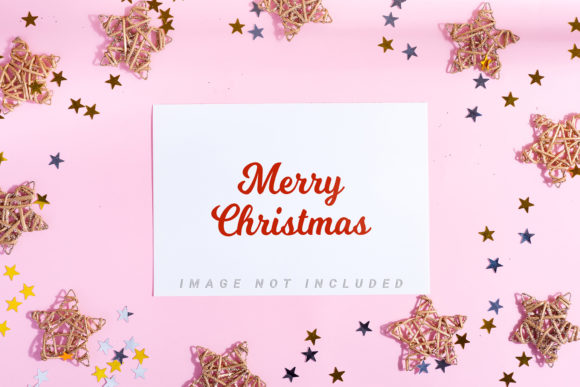
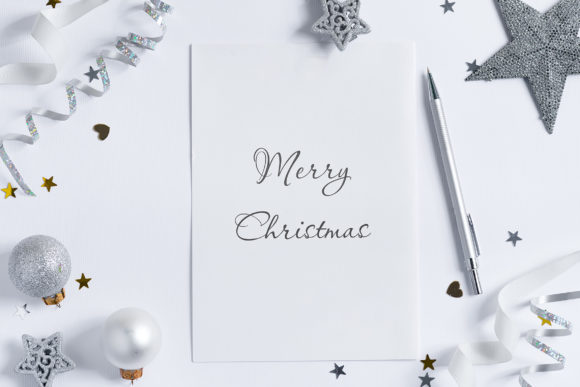
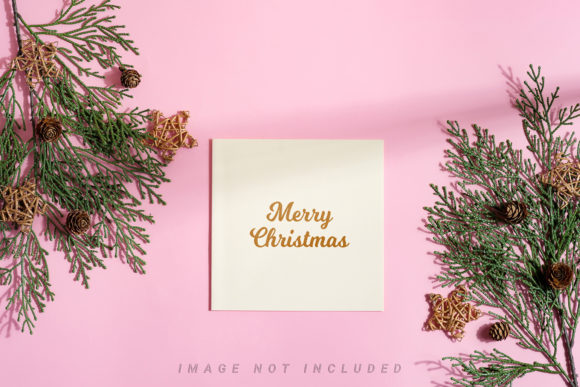
It is important to clarify that the typography shown in preview images is NOT INCLUDED. Users must provide their own text elements. While this allows for complete customization, it adds an extra step for users who might expect a ready-to-publish solution. However, for most designers, this is a standard feature that allows for greater flexibility.
Software Dependency
The functionality relies entirely on Adobe Photoshop’s Smart Object capabilities. Users working exclusively with other design software, such as Canva or Affinity Photo, may face compatibility issues unless they have access to Photoshop or a compatible alternative that supports PSD smart objects.
Ideal Use Cases and Alternatives
Deciding whether this mockup fits your needs depends on your specific project scope.
Strong Fit Scenarios
This bundle is an excellent choice for:
- Social Media Managers: Who need quick, visually appealing assets for Instagram and Facebook during the holiday season.
- Bloggers and Writers: Who want to create engaging header images for New Year’s themed articles without hiring a photographer.
- Small Business Owners: Who are launching limited-edition greeting cards or holiday promotions and need to showcase products realistically.
When to Consider Alternatives
You might want to explore other options if:
- You require dynamic lighting changes or the ability to rotate the card freely in 3D space. In this case, a 3D mockup generator would be more appropriate.
- Your workflow does not include Photoshop. You may prefer tools like Placeit or Creative Market templates that offer browser-based editing.
- You need extensive customization of the background environment. If the fixed aesthetic does not match your brand guidelines, investing in a modular mockup system might yield better long-term results.
Final Verdict
The Greeting New Year Card Mockup represents a practical, efficient solution for designers seeking to enhance their visual storytelling during the holiday season. Its emphasis on safety zones, high resolution, and straightforward smart object integration makes it a user-friendly option for both beginners and experienced professionals. While it lacks the dynamic flexibility of 3D models, its reliability and ease of use make it a strong contender for standard marketing and design projects. By understanding its limitations regarding fixed backgrounds and software requirements, users can effectively leverage this bundle to create polished, professional greetings that resonate with their audience.