Laptop Mockup Evaluation
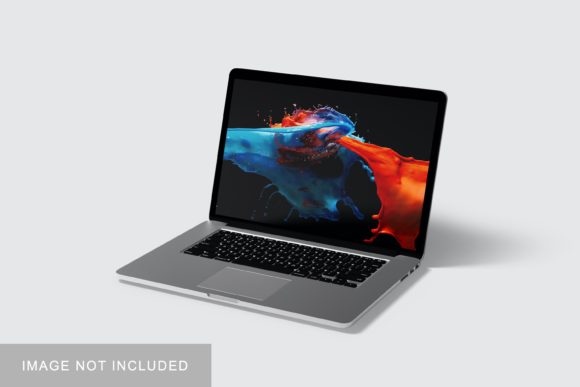
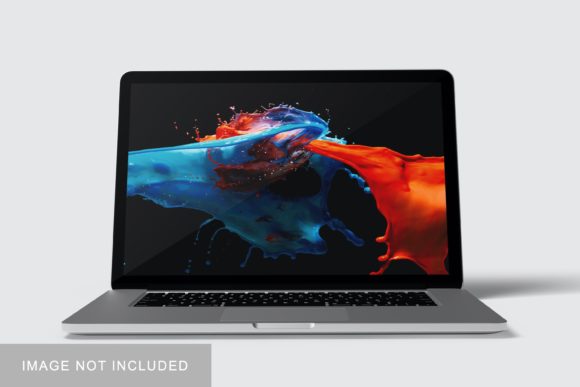
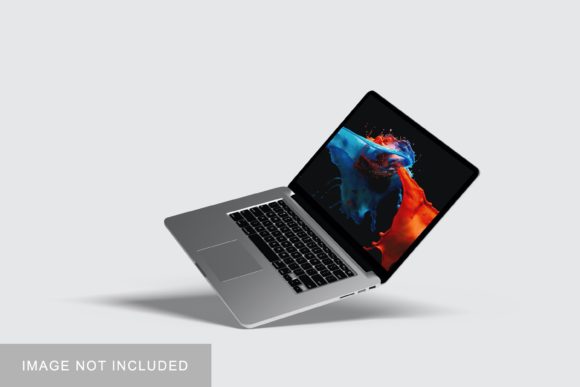
In the competitive landscape of digital design, presenting a concept effectively is often just as critical as the quality of the work itself. A Laptop Mockup serves as a vital tool for designers, marketers, and developers who need to showcase their interfaces, applications, or branding in a realistic context. This resource allows professionals to display their designs within a three-dimensional laptop environment, providing viewers with a tangible sense of how the final product will appear on an actual device. By utilizing high-quality mockups, creators can bridge the gap between abstract digital files and real-world application, enhancing the perceived value and professionalism of their portfolio pieces.
Understanding the Utility of Laptop Mockups
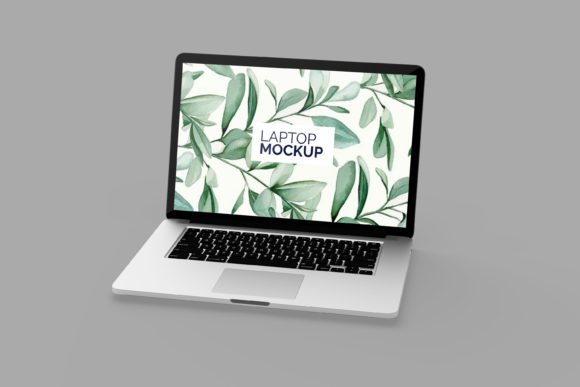
A laptop mockup is essentially a pre-designed template that simulates the appearance of a laptop screen and chassis. The primary function of such a template is to allow designers to insert their own artwork seamlessly. In the specific case of the item being evaluated, this is achieved through Adobe Photoshop’s smart-object technology. When a user opens the file, they are presented with a layered PSD (Photoshop Document) structure. By double-clicking the designated smart-object layer, the user opens a new window where they can paste their design. Once saved and closed, the design automatically maps onto the screen area of the laptop, complete with appropriate perspective, lighting, and reflections.
This process eliminates the need for manual warping, masking, or complex blending mode adjustments. For individuals researching presentation tools, the efficiency gained by using smart objects is a significant factor. It reduces the time spent on technical execution, allowing more focus to remain on the creative aspect of the design itself. The inclusion of a PDF help guide further supports users who may be less familiar with advanced Photoshop techniques, ensuring that even beginners can achieve professional results without a steep learning curve.
Key Features and Technical Specifications
When evaluating this specific Laptop Mockup, several technical attributes stand out as particularly beneficial for professional workflows. The file is provided in PSD format, which is the industry standard for raster-based editing in Adobe Creative Cloud. This compatibility ensures that most graphic designers already have the necessary software to utilize the asset immediately.
- Smart-Object Integration: As noted, the core feature is the use of smart objects. This non-destructive editing method allows for easy replacement of designs. If a client requests a change in color scheme or layout, the designer can simply update the smart object content rather than rebuilding the entire scene. This capability saves hours of repetitive work over the course of a project.
- Resolution and Dimensions: The mockup offers a resolution of 300 DPI (dots per inch) with dimensions of 3000x2000 pixels. This specification is crucial for print-ready materials and high-resolution web displays. A resolution of 300 DPI ensures that when the image is printed at a reasonable size or viewed on retina screens, the text and graphics remain sharp and free from pixelation. The 3000-pixel width provides ample horizontal space, making it suitable for wide interface designs or detailed dashboard layouts.
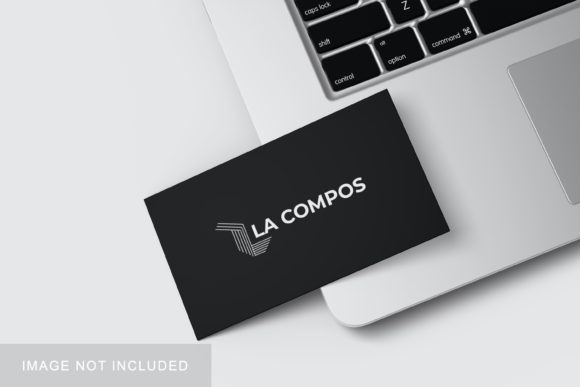
- Customizable Backgrounds: The ability to change the background color adds versatility to the mockup. Designers can match the background to brand guidelines, create contrast to highlight the device, or maintain a minimalist aesthetic depending on the context of the presentation. This flexibility allows the same base file to serve multiple marketing purposes.
Benefits for Professional Presentation
The decision to incorporate a laptop mockup into a workflow is often driven by the need for clarity and impact. Visual learners and clients alike benefit from seeing designs in context. A flat screenshot of a website or app can feel abstract; placing it inside a recognizable device like a laptop helps stakeholders visualize the user experience. This contextualization can lead to faster approval times and clearer communication during the feedback loop.
Furthermore, consistency is key in branding. Using a standardized mockup across different projects creates a cohesive look for a portfolio or a case study. It signals attention to detail and professionalism. For freelancers and agencies, this level of polish can differentiate them from competitors who present raw screenshots. The realistic 3D display effect adds depth and realism, making the design pop off the page and engaging the viewer more effectively than a two-dimensional image.
Considerations and Potential Tradeoffs
While the benefits are clear, there are practical considerations to keep in mind. First, the reliance on Adobe Photoshop means that users must have access to this specific software. While Photoshop is widely used, it is not free, and some users may prefer open-source alternatives like GIMP or Krita. Although these programs can sometimes open PSD files, smart-object functionality may not translate perfectly, potentially requiring additional conversion steps.
Another consideration is the static nature of the mockup. It represents a single moment in time. For interactive products or apps that rely heavily on animation and user flow, a static laptop image cannot fully convey the dynamic nature of the experience. In such cases, video recordings or interactive prototypes might be more appropriate supplements to the visual presentation. Additionally, while the background is changeable, the lighting and shadows on the laptop itself are fixed. If a designer needs to match a very specific lighting environment that differs significantly from the mockup’s default setup, they may need advanced compositing skills to blend the elements seamlessly.
Situational Fit and Alternatives
This Laptop Mockup is a strong fit for UI/UX designers showcasing web layouts, mobile app interfaces scaled to desktop views, or corporate branding presentations. It is also ideal for developers demonstrating front-end code implementations. If your goal is to present a polished, static view of a digital product to clients, investors, or social media followers, this tool offers a direct and efficient solution.
However, if you are looking for highly customizable 3D models that allow for rotation, different angles, or varied hardware styles (such as different laptop brands or colors), a vector-based EPS file or a dedicated 3D rendering software like Blender might be more suitable. Similarly, if you require animated previews, a GIF or MP4 generator would serve better than a static PSD. For those working exclusively in Figma or Sketch, exporting to PNG and then importing into this Photoshop mockup is a viable workflow, but it adds an extra step compared to native integrations.
Conclusion
Evaluating a Laptop Mockup involves balancing ease of use against customization needs. This particular item stands out due to its straightforward smart-object implementation, high resolution, and practical features like changeable backgrounds. It addresses the common pain point of time-consuming manual edits, offering a quick way to elevate design presentations. For professionals seeking a reliable, high-quality asset to enhance their visual storytelling, this mockup provides a solid foundation. It is important to verify that your current workflow includes compatible software and to assess whether a static representation aligns with the specific goals of your project. Ultimately, the right mockup is one that streamlines your process while accurately reflecting the quality of your work.