Why a Professional Label Tag Mockup is the Missing Piece in Your Design Portfolio
In the fast-paced world of graphic design, packaging, and branding, the gap between a digital file and a physical product can feel insurmountable. You have spent hours perfecting typography, selecting the ideal color palette, and balancing whitespace on your label design. But does it look good when wrapped around a bottle? Does the logo hold up on a hang-tag? This is where the concept of realistic presentation becomes critical. A high-quality Label Tag Mockup is not just a template; it is a bridge that connects your creative vision with client expectations.
When you are pitching a brand identity or showcasing a new product line, the way you present your work dictates how it is perceived. Flat images often fail to convey texture, depth, and context. By utilizing a tool designed for professional display, you transform abstract pixels into tangible assets. This article explores why investing time in realistic 3D displays—specifically through smart-object-enabled PSD files—can elevate your workflow and secure more projects.
The Power of Realistic 3D Display
First impressions matter, especially in design. Clients do not think in vectors or layers; they think in terms of real-world applications. When you present a flat JPEG of a label, you force the client to use their imagination to visualize the final product. This cognitive load can lead to misunderstandings or, worse, disinterest. A realistic 3D display solves this problem by providing immediate visual confirmation.
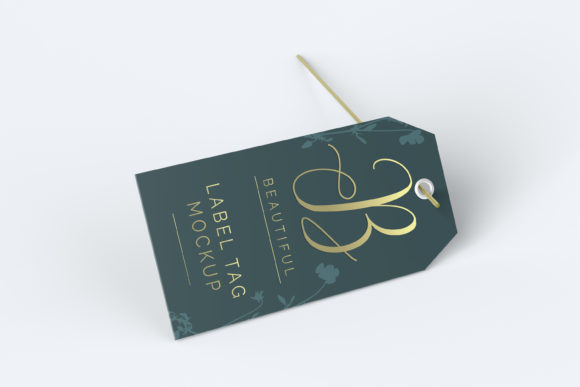
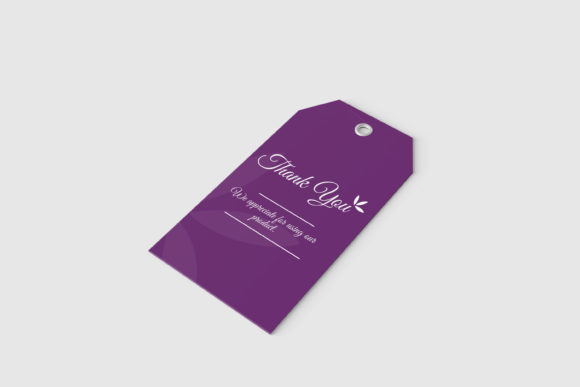
Imagine showing a client a wine label that appears to be wrapped around a glass bottle, catching the light and casting subtle shadows. The realism creates an emotional connection. It allows the stakeholder to "see" the product on a shelf. This level of detail is what separates amateur presentations from professional ones. The Label Tag Mockup serves as a canvas that mimics these real-world conditions, ensuring that your design is evaluated on its merits within the correct context.
Efficiency Through Smart-Object Technology
One of the biggest hurdles designers face is the time cost of creating multiple variations. In the past, manually warping text and adjusting perspective in Photoshop was a tedious, error-prone process. Today, technology has streamlined this workflow significantly. The primary advantage of using a modern mockup is the integration of Smart-Objects.
Smart-objects are essentially containers within Photoshop that allow you to replace content without altering the underlying structure of the image. Here is how it changes the game:
- Speed: Instead of spending twenty minutes masking and warping, you simply double-click the smart-object layer, paste your new design, and save. The mockup updates instantly.
- Accuracy: Manual adjustments often result in slight misalignments or distorted perspectives. Smart-objects maintain the exact lighting, shadows, and curvature defined by the artist who created the mockup.
- Versatility: You can create dozens of variations for different clients or products in a fraction of the time. This efficiency allows you to take on more projects without burning out.
This feature is particularly valuable when working with tight deadlines. Whether you need to show a client three different color schemes or adapt a design for a smaller tag size, the ease of replacement ensures that you can deliver quickly without sacrificing quality.
Technical Specifications That Matter
Not all mockups are created equal. When selecting a Label Tag Mockup, technical specifications play a crucial role in the final output quality. For print-ready presentations or high-resolution web displays, resolution and dimensions are non-negotiable factors.
A robust mockup should offer a resolution of at least 300 DPI (dots per inch). This standard ensures that when you zoom in to inspect details like font kerning or small graphic elements, the image remains crisp and free of pixelation. Low-resolution mockups can inadvertently make even the best designs look cheap or unprofessional.
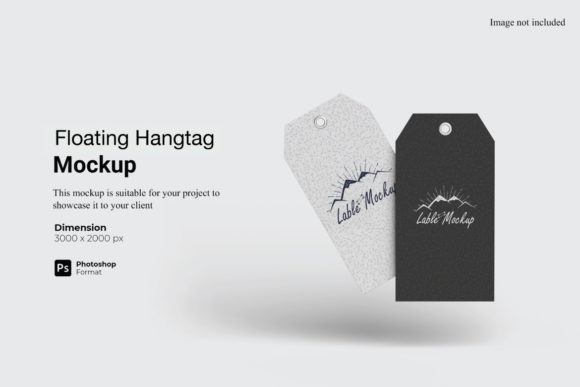
Furthermore, consider the dimensions. A size of 3000x2000 px provides ample space for detailed viewing while remaining manageable for most computers. This aspect ratio is versatile enough to showcase both horizontal labels and vertical tags effectively. Additionally, having the flexibility to change the background color is a significant bonus. It allows you to isolate the product against a neutral backdrop for clean portfolio shots or place it in a colored environment to test contrast and visibility.
Integrating Mockups into Modern Workflows
How does this fit into your daily routine? For freelance designers, mockups are essential marketing tools. They turn static portfolios into dynamic case studies. For in-house design teams, they facilitate better communication with marketing and sales departments. When stakeholders can see the product realistically, feedback becomes more specific and actionable.
Consider a scenario where you are designing packaging for a new organic skincare line. You have created a minimalist label. By placing this design onto a Label Tag Mockup with a natural, earthy background, you immediately communicate the brand’s values before the client even reads the copy. The mockup tells a story. It suggests texture, material, and lifestyle associations that a flat image cannot.
Moreover, these tools are adaptable across industries. From food and beverage to fashion accessories and electronics, any product requiring labeling benefits from realistic visualization. The ability to swap designs quickly means you can experiment with different brand directions during the conceptual phase, exploring what resonates best with your target audience.
Practical Considerations and Best Practices
While using a Label Tag Mockup is straightforward, there are a few considerations to ensure you get the best results. First, always respect the source materials. If the mockup comes with a help guide, such as a PDF instruction manual, read it. Understanding the layer structure of the PSD file can prevent accidental edits to shadows or highlights that break the illusion of realism.
Secondly, remember that the photos used in previews are for illustration purposes only. Do not assume the lighting in the preview matches your specific needs exactly, although most high-quality mockups are pre-lit to be universally flattering. However, if you need to adjust the lighting to match a specific brand aesthetic, advanced users can tweak the adjustment layers provided in the PSD file.
Another common pitfall is ignoring the aspect ratio of your own design. Ensure your input file fits within the designated safe zone of the smart-object. If your design is too large or small relative to the mockup’s intended scale, it may look unnatural even after the smart-object update. Always check your proportions before saving.
Choosing the Right Tool for Long-Term Success
Ultimately, the decision to use a professional mockup is an investment in your credibility. In an industry where visual appeal is paramount, presenting your work in a polished, realistic format demonstrates attention to detail and professionalism. It shows clients that you understand not just the art of design, but the business of selling it.
By leveraging features like smart-objects, high resolution, and customizable backgrounds, you streamline your process while enhancing the impact of your presentation. The Label Tag Mockup is more than a file; it is a strategic asset that helps you communicate your ideas clearly, reduce revision cycles, and close deals faster. As you continue to refine your craft, integrating these realistic displays into your workflow will become an indispensable habit, setting your work apart in a crowded marketplace.
Whether you are a seasoned expert or just starting out, the difference between a flat image and a 3D representation is night and day. Embrace the technology, utilize the easy-to-use features, and watch your designs come to life with unprecedented clarity and impact.